

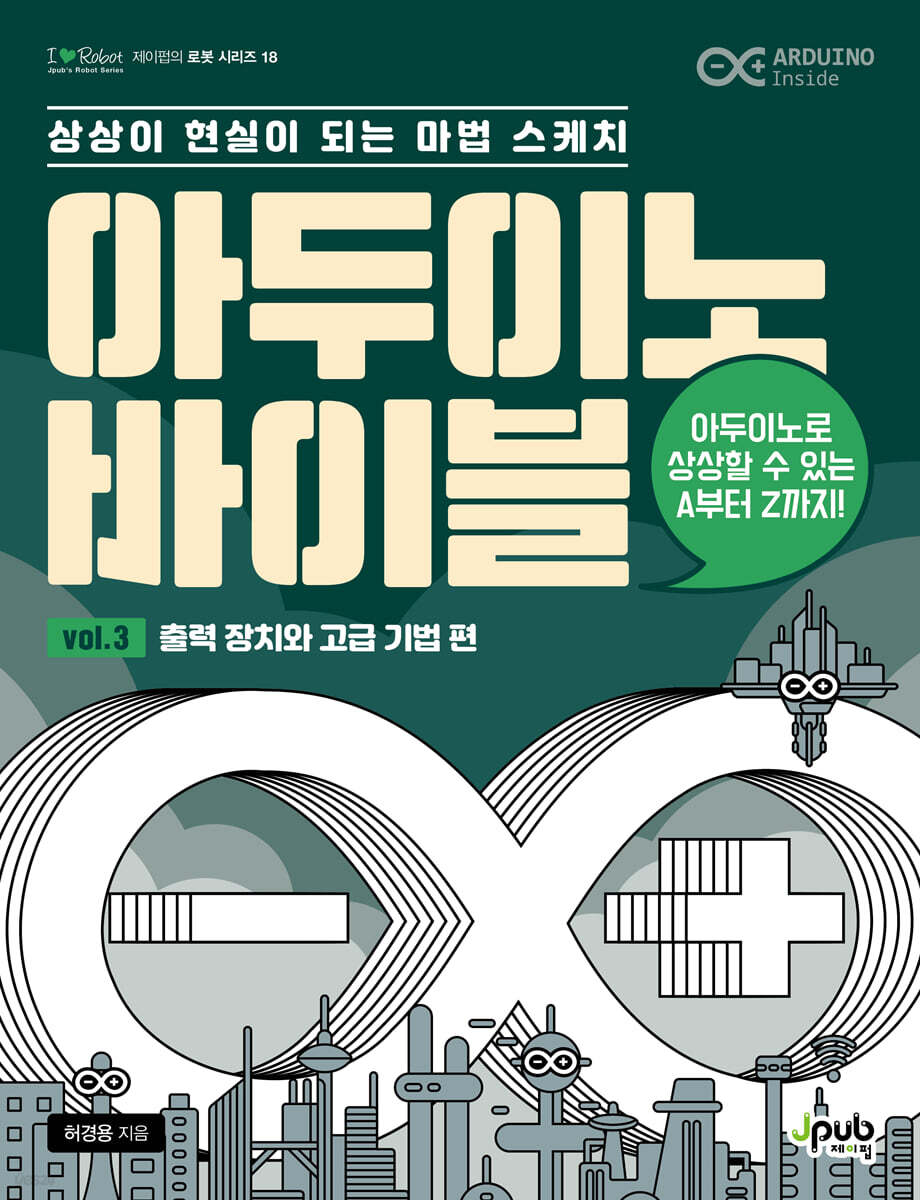
Arduino Bible Vol. 3: Output Devices and Advanced Techniques
 |
Description
Book Introduction
Everything you can imagine with Arduino from A to Z!
The Arduino Bible, Volume 3, 'Output Devices and Advanced Techniques', covers 27 chapters, covering advanced features of Arduino along with methods for returning information to the surrounding environment through output devices.
The Arduino Bible, Volume 3, 'Output Devices and Advanced Techniques', covers 27 chapters, covering advanced features of Arduino along with methods for returning information to the surrounding environment through output devices.
- You can preview some of the book's contents.
Preview
index
vol.3 Output devices and advanced techniques
Preface xi / Chapter-by-Chapter Contents xiii / Chapter-by-Chapter Parts List xx / Beta Reader Reviews xxiii
CHAPTER 37 1-Digit 7-Segment Display 1
37.1 1-digit 7-segment display 2
37.2 7448: 7-segment decoder 9
37.3 74595: Serial Input Parallel Output Shift Register 13
37.4 Conclusion 17
Practice Problem 18
CHAPTER 38 4-Digit 7-Segment Display 19
38.1 4-digit 7-segment display 20
38.2 4-Digit 7-Segment Display Library 33
38.3 8-digit 7-segment display: MAX7219 38
38.4 Conclusion 45
Practice Problem 46
CHAPTER 39 LED MATRIX 47
39.1 LED Matrix 48
39.2 MAX7219 LED Display Driver 56
39.3 Conclusion 63
Practice Problem 64
CHAPTER 40 Text LCD 65
40.1 Text LCD 66
40.2 Text LCD Control 70
40.3 I2C Text LCD Control 80
40.4 Conclusion 83
Practice Problem 85
CHAPTER 41 GRAPHIC LCD 87
41.1 Graphic LCD 88
41.2 openGLCD library 90
41.3 Outputting Shapes and Images 96
41.4 Virtual Screen Splitting 101
41.5 Conclusion 106
Practice Problem 108
CHAPTER 42 OLED Displays 109
42.1 OLED display 110
42.2 OLED Library 112
42.3 I2C OLED 113
42.4 SPI mode OLED 119
42.5 Conclusion 130
Practice Problem 132
CHAPTER 43 NeoPixel 133
43.1 LED strip and NeoPixel 134
43.2 Adafruit NeoPixel Library 135
43.3 Adafruit NeoMatrix Library 143
43.4 Conclusion 157
Practice Problem 158
CHAPTER 44 Touch TFT-LCD 159
44.1 Touch TFT-LCD 160
44.2 Parallel TFT-LCD module 163
44.3 SPI TFT-LCD module 180
44.4 Conclusion 186
Practice Problem 188
CHAPTER 45 DC MOTORS 189
45.1 DC motor 190
45.2 DC Motor Control 194
45.3 DC Motor Library 202
45.4 Conclusion 207
Practice Problem 208
CHAPTER 46 SERVO MOTORS 209
46.1 Servo Motor 210
46.2 Servo Library 212
46.3 Standard Servo Motor Speed Control 218
46.4 Continuous Rotation Servo Motor 223
46.5 Conclusion 225
Practice Problem 226
CHAPTER 47 Stepper Motors 227
47.1 Stepper Motor 228
47.2 Variable reluctance motor 229
47.3 Unipolar Stepper Motor 230
47.4 Bipolar Stepper Motor 232
47.5 28BYJ-48 stepper motor and ULN2003 motor driver 235
47.6 Stepper Library 240
47.7 Unistep2 Library 242
47.8 Conclusion 246
Practice Problem 248
CHAPTER 48 Relay 249
48.1 Operating Principle of Relay 250
48.2 Controlling LEDs Using Relays 251
48.3 Relay Control via Bluetooth 255
48.4 Conclusion 261
Practice Problem 262
CHAPTER 49 Speakers and Sound 263
49.1 Making Sound with Arduino Uno 264
49.2 Using the tone function 265
49.3 Buzzer 275
49.4 MP3 Player Module 279
49.5 Conclusion 286
Practice Problem 287
CHAPTER 50 MINI PROJECT: SNAKE GAME 289
50.1 Snake Game 290
50.2 Hardware for Implementing the Snake Game 291
50.3 Snake Game Implementation 296
50.4 Conclusion 304
CHAPTER 51 RTC: Date and Time 305
51.1 Software RTC 306
51.2 Tiny RTC Module 310
51.3 DS3231 RTC Module 318
51.4 Conclusion 328
Practice Problem 330
CHAPTER 52 INTERRUPT 331
52.1 Polling and Interrupt Methods 332
52.2 Interrupt 333
52.3 Interrupt-related functions 335
52.4 Interrupt Generation and Handling 337
52.5 Conclusion 346
Practice Problem 348
CHAPTER 53 Internal EEPROM 349
53.1 EEPROM and Flash Memory 350
53.2 EEPROM Library 351
53.3 EEPROM Library 356 in the AVR Toolchain
53.4 Conclusion 361
Practice Problem 362
CHAPTER 54 SD Library 365
54.1 SD Cards and SD Card Modules 366
54.2 SDClass Class 368
54.3 File Class 370
54.4 Read SD card information 376
54.5 Writing and Reading Files 378
54.6 Conclusion 383
Practice Problem 384
CHAPTER 55 Building a USB Device with Arduino Uno 385
55.1 Preparing to Create a USB Device 387
55.2 Creating a USB Keyboard 391
55.3 Making Keyboard Input Easier 398
55.4 Creating a USB Mouse 402
55.5 Conclusion 404
Practice Problem 406
CHAPTER 56 Using Flash Memory 407
56.1 Memory 408 of ATmega328
56.2 Flash Memory Utilization 409
56.3 Flash Memory Storage of a Two-Dimensional Byte Array 417
56.4 Flash Memory Storage of String Arrays 420
56.5 Conclusion 424
Practice Problem 426
CHAPTER 57 Watchdog Timer 427
57.1 Watchdog Timer 428
57.2 Using the Watchdog Timer 429
57.3 Watchdog Timer Library 432
57.4 Conclusion 436
Practice Problem 437
CHAPTER 58: TASK SCHEDULER 439
58.1 Tasks and the Scheduler 440
58.2 Scheduler Library 441
58.3 Conclusion 457
Practice Problem 458
CHAPTER 59 ISP-style Sketch Upload Device 459
59.1 Upload sketch 460
59.2 USBISP 461
59.3 USBasp 464
59.4 USBtinyISP 467
59.5 AVRISP mkII 470
59.6 Uploading Sketches Using Arduino Board 472
59.7 Conclusion 476
Practice Problem 478
CHAPTER 60 FUSES, LOCKS, AND SIGNATURE BITES 479
60.1 fuse bytes 480
60.2 Fuse Programming 487
60.3 rock bytes 491
60.4 Signature Bytes 495
60.5 Conclusion 497
Practice Problem 498
CHAPTER 61 Power Management and Sleep Mode 499
61.1 Reduction of current consumption according to circuit configuration 501
61.2 Use sleep mode 504
61.3 Low-Power Library 510
61.4 Conclusion 517
Practice Problem 518
CHAPTER 62 Arduino and AVR 519
62.1 Arduino Programming and AVR Programming 520
62.2 Programming the ATmega328 with Microchip Studio 521
62.3 C-style code and Arduino-style code 529
62.4 Conclusion 534
Practice Problem 535
CHAPTER 63 Mini Project: Tetris 537
63.1 Tetris 538
63.1 Hardware for Tetris Implementation 540
63.3 Tetris Implementation 545
63.4 Conclusion 554
Search 557
Preface xi / Chapter-by-Chapter Contents xiii / Chapter-by-Chapter Parts List xx / Beta Reader Reviews xxiii
CHAPTER 37 1-Digit 7-Segment Display 1
37.1 1-digit 7-segment display 2
37.2 7448: 7-segment decoder 9
37.3 74595: Serial Input Parallel Output Shift Register 13
37.4 Conclusion 17
Practice Problem 18
CHAPTER 38 4-Digit 7-Segment Display 19
38.1 4-digit 7-segment display 20
38.2 4-Digit 7-Segment Display Library 33
38.3 8-digit 7-segment display: MAX7219 38
38.4 Conclusion 45
Practice Problem 46
CHAPTER 39 LED MATRIX 47
39.1 LED Matrix 48
39.2 MAX7219 LED Display Driver 56
39.3 Conclusion 63
Practice Problem 64
CHAPTER 40 Text LCD 65
40.1 Text LCD 66
40.2 Text LCD Control 70
40.3 I2C Text LCD Control 80
40.4 Conclusion 83
Practice Problem 85
CHAPTER 41 GRAPHIC LCD 87
41.1 Graphic LCD 88
41.2 openGLCD library 90
41.3 Outputting Shapes and Images 96
41.4 Virtual Screen Splitting 101
41.5 Conclusion 106
Practice Problem 108
CHAPTER 42 OLED Displays 109
42.1 OLED display 110
42.2 OLED Library 112
42.3 I2C OLED 113
42.4 SPI mode OLED 119
42.5 Conclusion 130
Practice Problem 132
CHAPTER 43 NeoPixel 133
43.1 LED strip and NeoPixel 134
43.2 Adafruit NeoPixel Library 135
43.3 Adafruit NeoMatrix Library 143
43.4 Conclusion 157
Practice Problem 158
CHAPTER 44 Touch TFT-LCD 159
44.1 Touch TFT-LCD 160
44.2 Parallel TFT-LCD module 163
44.3 SPI TFT-LCD module 180
44.4 Conclusion 186
Practice Problem 188
CHAPTER 45 DC MOTORS 189
45.1 DC motor 190
45.2 DC Motor Control 194
45.3 DC Motor Library 202
45.4 Conclusion 207
Practice Problem 208
CHAPTER 46 SERVO MOTORS 209
46.1 Servo Motor 210
46.2 Servo Library 212
46.3 Standard Servo Motor Speed Control 218
46.4 Continuous Rotation Servo Motor 223
46.5 Conclusion 225
Practice Problem 226
CHAPTER 47 Stepper Motors 227
47.1 Stepper Motor 228
47.2 Variable reluctance motor 229
47.3 Unipolar Stepper Motor 230
47.4 Bipolar Stepper Motor 232
47.5 28BYJ-48 stepper motor and ULN2003 motor driver 235
47.6 Stepper Library 240
47.7 Unistep2 Library 242
47.8 Conclusion 246
Practice Problem 248
CHAPTER 48 Relay 249
48.1 Operating Principle of Relay 250
48.2 Controlling LEDs Using Relays 251
48.3 Relay Control via Bluetooth 255
48.4 Conclusion 261
Practice Problem 262
CHAPTER 49 Speakers and Sound 263
49.1 Making Sound with Arduino Uno 264
49.2 Using the tone function 265
49.3 Buzzer 275
49.4 MP3 Player Module 279
49.5 Conclusion 286
Practice Problem 287
CHAPTER 50 MINI PROJECT: SNAKE GAME 289
50.1 Snake Game 290
50.2 Hardware for Implementing the Snake Game 291
50.3 Snake Game Implementation 296
50.4 Conclusion 304
CHAPTER 51 RTC: Date and Time 305
51.1 Software RTC 306
51.2 Tiny RTC Module 310
51.3 DS3231 RTC Module 318
51.4 Conclusion 328
Practice Problem 330
CHAPTER 52 INTERRUPT 331
52.1 Polling and Interrupt Methods 332
52.2 Interrupt 333
52.3 Interrupt-related functions 335
52.4 Interrupt Generation and Handling 337
52.5 Conclusion 346
Practice Problem 348
CHAPTER 53 Internal EEPROM 349
53.1 EEPROM and Flash Memory 350
53.2 EEPROM Library 351
53.3 EEPROM Library 356 in the AVR Toolchain
53.4 Conclusion 361
Practice Problem 362
CHAPTER 54 SD Library 365
54.1 SD Cards and SD Card Modules 366
54.2 SDClass Class 368
54.3 File Class 370
54.4 Read SD card information 376
54.5 Writing and Reading Files 378
54.6 Conclusion 383
Practice Problem 384
CHAPTER 55 Building a USB Device with Arduino Uno 385
55.1 Preparing to Create a USB Device 387
55.2 Creating a USB Keyboard 391
55.3 Making Keyboard Input Easier 398
55.4 Creating a USB Mouse 402
55.5 Conclusion 404
Practice Problem 406
CHAPTER 56 Using Flash Memory 407
56.1 Memory 408 of ATmega328
56.2 Flash Memory Utilization 409
56.3 Flash Memory Storage of a Two-Dimensional Byte Array 417
56.4 Flash Memory Storage of String Arrays 420
56.5 Conclusion 424
Practice Problem 426
CHAPTER 57 Watchdog Timer 427
57.1 Watchdog Timer 428
57.2 Using the Watchdog Timer 429
57.3 Watchdog Timer Library 432
57.4 Conclusion 436
Practice Problem 437
CHAPTER 58: TASK SCHEDULER 439
58.1 Tasks and the Scheduler 440
58.2 Scheduler Library 441
58.3 Conclusion 457
Practice Problem 458
CHAPTER 59 ISP-style Sketch Upload Device 459
59.1 Upload sketch 460
59.2 USBISP 461
59.3 USBasp 464
59.4 USBtinyISP 467
59.5 AVRISP mkII 470
59.6 Uploading Sketches Using Arduino Board 472
59.7 Conclusion 476
Practice Problem 478
CHAPTER 60 FUSES, LOCKS, AND SIGNATURE BITES 479
60.1 fuse bytes 480
60.2 Fuse Programming 487
60.3 rock bytes 491
60.4 Signature Bytes 495
60.5 Conclusion 497
Practice Problem 498
CHAPTER 61 Power Management and Sleep Mode 499
61.1 Reduction of current consumption according to circuit configuration 501
61.2 Use sleep mode 504
61.3 Low-Power Library 510
61.4 Conclusion 517
Practice Problem 518
CHAPTER 62 Arduino and AVR 519
62.1 Arduino Programming and AVR Programming 520
62.2 Programming the ATmega328 with Microchip Studio 521
62.3 C-style code and Arduino-style code 529
62.4 Conclusion 534
Practice Problem 535
CHAPTER 63 Mini Project: Tetris 537
63.1 Tetris 538
63.1 Hardware for Tetris Implementation 540
63.3 Tetris Implementation 545
63.4 Conclusion 554
Search 557
Detailed image

Into the book
While a single-digit seven-segment display is not much different from an eight-LED display, the four-digit seven-segment display, which we will look at in the next chapter, is a bit more complex.
It should be noted that although 4-digit 7-segment displays can display multiple digits and are therefore more commonly used than 1-digit 7-segment displays, the basic principle is the same as that of 1-digit 7-segment displays.
--- p.17
DDRAM's 80-byte size means that it can display up to 80 characters on a text LCD, and the largest text LCD displays 80 characters in 4 lines and 20 spaces.
However, to ensure compatibility with 16×2 text LCDs, the memory that stores the characters printed on the third row is connected to the back of the memory that stores the characters printed on the first row.
That is, if a 16×2 text LCD and a 20×4 text LCD are placed so that (0, 0) overlaps, the DDRAM addresses of the parts where 32 characters are displayed are the same.
--- p.69
As you can see from the execution result of Sketch 43.3, you can achieve the effect of scrolling a string simply by specifying the position of the cursor.
The font used for character output is 5×7 in size, so 6×8 pixels are used including the letter spacing.
Sketch 43.4 shows how to achieve the effect of scrolling a string by controlling the starting position of the string display with the setCursor function.
--- p.150
In the motor of Figure 47.1, when voltage is applied to coil 1, the tooth X of the rotor moves to pole 1 because this is the position where the reluctance, or magnetic resistance, formed by the poles of the stator and the teeth of the rotor is minimized.
Next, when voltage is applied to coil 2, tooth Y moves to pole 2, and when voltage is applied to coil 3, tooth X moves to pole 3.
That is, each time power is applied to the coil in Figure 47.1, the motor will rotate 30° clockwise.
--- p.229
The hardware RTC used in this chapter is a Tiny RTC module using the DS1307 RTC chip and a DS3231 RTC module using the DS3231 RTC chip, both of which use I2C communication.
First, let's look at the Tiny RTC module.
The Tiny RTC module is an RTC module created by adding necessary components such as a battery holder and crystal to the DS1307 RTC chip.
--- p.310
The ICSP pin header has a standard pin arrangement of 6 or 10 pins, and the arrangement used in Arduino Uno is also a standard 6-pin arrangement.
If you look closely at the ICSP pin header on the Arduino Uno board, you will see a dot marked where pin 1 is located.
Care must be taken when connecting to an Arduino board, as it is common to see non-standard pinouts, including the USBISP shown in Figure 59.2 used in this book.
It should be noted that although 4-digit 7-segment displays can display multiple digits and are therefore more commonly used than 1-digit 7-segment displays, the basic principle is the same as that of 1-digit 7-segment displays.
--- p.17
DDRAM's 80-byte size means that it can display up to 80 characters on a text LCD, and the largest text LCD displays 80 characters in 4 lines and 20 spaces.
However, to ensure compatibility with 16×2 text LCDs, the memory that stores the characters printed on the third row is connected to the back of the memory that stores the characters printed on the first row.
That is, if a 16×2 text LCD and a 20×4 text LCD are placed so that (0, 0) overlaps, the DDRAM addresses of the parts where 32 characters are displayed are the same.
--- p.69
As you can see from the execution result of Sketch 43.3, you can achieve the effect of scrolling a string simply by specifying the position of the cursor.
The font used for character output is 5×7 in size, so 6×8 pixels are used including the letter spacing.
Sketch 43.4 shows how to achieve the effect of scrolling a string by controlling the starting position of the string display with the setCursor function.
--- p.150
In the motor of Figure 47.1, when voltage is applied to coil 1, the tooth X of the rotor moves to pole 1 because this is the position where the reluctance, or magnetic resistance, formed by the poles of the stator and the teeth of the rotor is minimized.
Next, when voltage is applied to coil 2, tooth Y moves to pole 2, and when voltage is applied to coil 3, tooth X moves to pole 3.
That is, each time power is applied to the coil in Figure 47.1, the motor will rotate 30° clockwise.
--- p.229
The hardware RTC used in this chapter is a Tiny RTC module using the DS1307 RTC chip and a DS3231 RTC module using the DS3231 RTC chip, both of which use I2C communication.
First, let's look at the Tiny RTC module.
The Tiny RTC module is an RTC module created by adding necessary components such as a battery holder and crystal to the DS1307 RTC chip.
--- p.310
The ICSP pin header has a standard pin arrangement of 6 or 10 pins, and the arrangement used in Arduino Uno is also a standard 6-pin arrangement.
If you look closely at the ICSP pin header on the Arduino Uno board, you will see a dot marked where pin 1 is located.
Care must be taken when connecting to an Arduino board, as it is common to see non-standard pinouts, including the USBISP shown in Figure 59.2 used in this book.
--- p.462
Publisher's Review
Easy, Fast, Versatile, Efficient = Arduino Bible
Arduino, which was sown with the maker movement and grew with the development of the Internet of Things, has now grown into one of the pillars supporting microcontrollers.
In this rich Arduino forest, the Arduino Bible will be your guide to turning your sketched imagination into reality.
This book will show you how much you can do with Arduino, and it will take you beyond this book to discover new ways to imagine with Arduino.
Consisting of 1,383,677 characters, over 1,600 pictures, 260 tables, and 80 chapters, the Arduino Bible (Volumes 1-4) truly compiles everything about Arduino from A to Z.
We hope you will find this a useful reference for both educational and industrial settings.
Key Contents of Volume 3, "Output Devices and Advanced Techniques"
CHAPTER 37 1-digit 7-segment display device _ Learn about the structure and control method of the 1-digit 7-segment display device.
CHAPTER 38 4-digit 7-segment display device _ Learn about the structure and control method of a 4-digit 7-segment display device that can display four-digit numbers.
CHAPTER 39 LED MATRIX _ Learn about the structure of the LED matrix and the various methods available for controlling the LED matrix.
CHAPTER 40 Text LCD _ We will look at the structure and control method of text LCD, and how to use text LCD using LiquidCrystal library that directly controls LCD driver and LiquidCrystal_I2C library that controls through I2C conversion module.
CHAPTER 41 Graphic LCD _ Learn about the structure and usage of a monochrome graphic LCD that has a pin layout and control method similar to that of a text LCD while allowing pixel-level control.
CHAPTER 42 OLED Display _ We will look at how to control a small OLED display using SPI and I2C communication.
CHAPTER 43 Neopixels _ Learn how to display various information using the Neopixel ring and Neopixel matrix.
CHAPTER 44 Touch TFT-LCD _ Learn how to use parallel and SPI touch TFT-LCDs that can be used with Arduino.
CHAPTER 45 DC Motor _ Learn how to control the DC motor, the simplest and most widely used motor, and how to control the DC motor using a motor driver.
CHAPTER 46 SERVO MOTOR _ Learn about the operating principles and control methods of servo motors.
CHAPTER 47 Stepper Motor _ Learn about the operating principles and control methods of stepper motors.
CHAPTER 48 RELAY _ Learn about the operating principles of relays and how to use electromechanical relays and semiconductor relays, which are commonly found among relays.
CHAPTER 49 Speakers and Sound _ We will look at several ways to produce sound with Arduino.
CHAPTER 50 MINI PROJECT: SNAKE GAME _ Create a snake game that runs on a NeoPixel matrix using a NeoPixel matrix and a joystick.
CHAPTER 51 RTC: Date and Time _ We will look at how to maintain and use the date and time through software and hardware RTC.
CHAPTER 52 INTERRUPT _ Learn about the interrupt processing structure and usage method.
CHAPTER 53 Internal EEPROM _ We will look at how to use the EEPROM included in the ATmega328 through Arduino's EEPROM library and the AVR toolchain's EEPROM library.
CHAPTER 54 SD Library _ We will look at how to read and write data to an SD card using the SD library.
CHAPTER 55 Creating a USB Device with Arduino Uno _ We will look at how to make Arduino Uno work as a USB keyboard or mouse by replacing the firmware of the ATmega16u2 microcontroller.
CHAPTER 56 Using Flash Memory _ We will look at how to store and read variable values in flash memory.
CHAPTER 57 Watchdog Timer _ Learn how to automatically reset the Arduino using the watchdog timer and how to wake it from sleep mode using the watchdog timer.
CHAPTER 58 Task Scheduler _ Learn techniques for performing multiple tasks simultaneously in Arduino, such as how to perform multiple tasks simultaneously using the scheduler library and how to exchange data between tasks.
CHAPTER 59 ISP-style sketch upload device _ Learn about the types of programmers commonly used for ISP-style sketch upload and how to use them.
CHAPTER 60 Fuses, Locks, and Signature Bytes _ We will look at how to set up the basic operating environment of the ATmega328 microcontroller through various memories.
CHAPTER 61 POWER MANAGEMENT AND SLEEP MODES _ Learn how to configure your Arduino-compatible board to consume as little power as possible, and how to reduce power consumption by having it go into sleep mode when the system is not in operation, consuming minimal power.
CHAPTER 62 Arduino and AVR _ We will look at the differences between sketch programming for Arduino and typical AVR programming for AVR series microcontrollers, and learn how to use them together to understand Arduino more accurately and utilize it in various ways.
CHAPTER 63 MINI PROJECT: TETRIS _ In this chapter, we will create a game called Tetris that runs on a NeoPixel matrix using a NeoPixel matrix and a joystick.
Arduino, which was sown with the maker movement and grew with the development of the Internet of Things, has now grown into one of the pillars supporting microcontrollers.
In this rich Arduino forest, the Arduino Bible will be your guide to turning your sketched imagination into reality.
This book will show you how much you can do with Arduino, and it will take you beyond this book to discover new ways to imagine with Arduino.
Consisting of 1,383,677 characters, over 1,600 pictures, 260 tables, and 80 chapters, the Arduino Bible (Volumes 1-4) truly compiles everything about Arduino from A to Z.
We hope you will find this a useful reference for both educational and industrial settings.
Key Contents of Volume 3, "Output Devices and Advanced Techniques"
CHAPTER 37 1-digit 7-segment display device _ Learn about the structure and control method of the 1-digit 7-segment display device.
CHAPTER 38 4-digit 7-segment display device _ Learn about the structure and control method of a 4-digit 7-segment display device that can display four-digit numbers.
CHAPTER 39 LED MATRIX _ Learn about the structure of the LED matrix and the various methods available for controlling the LED matrix.
CHAPTER 40 Text LCD _ We will look at the structure and control method of text LCD, and how to use text LCD using LiquidCrystal library that directly controls LCD driver and LiquidCrystal_I2C library that controls through I2C conversion module.
CHAPTER 41 Graphic LCD _ Learn about the structure and usage of a monochrome graphic LCD that has a pin layout and control method similar to that of a text LCD while allowing pixel-level control.
CHAPTER 42 OLED Display _ We will look at how to control a small OLED display using SPI and I2C communication.
CHAPTER 43 Neopixels _ Learn how to display various information using the Neopixel ring and Neopixel matrix.
CHAPTER 44 Touch TFT-LCD _ Learn how to use parallel and SPI touch TFT-LCDs that can be used with Arduino.
CHAPTER 45 DC Motor _ Learn how to control the DC motor, the simplest and most widely used motor, and how to control the DC motor using a motor driver.
CHAPTER 46 SERVO MOTOR _ Learn about the operating principles and control methods of servo motors.
CHAPTER 47 Stepper Motor _ Learn about the operating principles and control methods of stepper motors.
CHAPTER 48 RELAY _ Learn about the operating principles of relays and how to use electromechanical relays and semiconductor relays, which are commonly found among relays.
CHAPTER 49 Speakers and Sound _ We will look at several ways to produce sound with Arduino.
CHAPTER 50 MINI PROJECT: SNAKE GAME _ Create a snake game that runs on a NeoPixel matrix using a NeoPixel matrix and a joystick.
CHAPTER 51 RTC: Date and Time _ We will look at how to maintain and use the date and time through software and hardware RTC.
CHAPTER 52 INTERRUPT _ Learn about the interrupt processing structure and usage method.
CHAPTER 53 Internal EEPROM _ We will look at how to use the EEPROM included in the ATmega328 through Arduino's EEPROM library and the AVR toolchain's EEPROM library.
CHAPTER 54 SD Library _ We will look at how to read and write data to an SD card using the SD library.
CHAPTER 55 Creating a USB Device with Arduino Uno _ We will look at how to make Arduino Uno work as a USB keyboard or mouse by replacing the firmware of the ATmega16u2 microcontroller.
CHAPTER 56 Using Flash Memory _ We will look at how to store and read variable values in flash memory.
CHAPTER 57 Watchdog Timer _ Learn how to automatically reset the Arduino using the watchdog timer and how to wake it from sleep mode using the watchdog timer.
CHAPTER 58 Task Scheduler _ Learn techniques for performing multiple tasks simultaneously in Arduino, such as how to perform multiple tasks simultaneously using the scheduler library and how to exchange data between tasks.
CHAPTER 59 ISP-style sketch upload device _ Learn about the types of programmers commonly used for ISP-style sketch upload and how to use them.
CHAPTER 60 Fuses, Locks, and Signature Bytes _ We will look at how to set up the basic operating environment of the ATmega328 microcontroller through various memories.
CHAPTER 61 POWER MANAGEMENT AND SLEEP MODES _ Learn how to configure your Arduino-compatible board to consume as little power as possible, and how to reduce power consumption by having it go into sleep mode when the system is not in operation, consuming minimal power.
CHAPTER 62 Arduino and AVR _ We will look at the differences between sketch programming for Arduino and typical AVR programming for AVR series microcontrollers, and learn how to use them together to understand Arduino more accurately and utilize it in various ways.
CHAPTER 63 MINI PROJECT: TETRIS _ In this chapter, we will create a game called Tetris that runs on a NeoPixel matrix using a NeoPixel matrix and a joystick.
GOODS SPECIFICS
- Publication date: June 24, 2021
- Page count, weight, size: 592 pages | 188*245*29mm
- ISBN13: 9791191600049
- ISBN10: 1191600041
You may also like
카테고리
korean


korean

![GQ KOREA Mark (Monthly): December [2025]](http://librairie.coreenne.fr/cdn/shop/files/8ef265dbbfbf186523ed75ba7319009d.jpg?v=1765340328&width=3840)


