

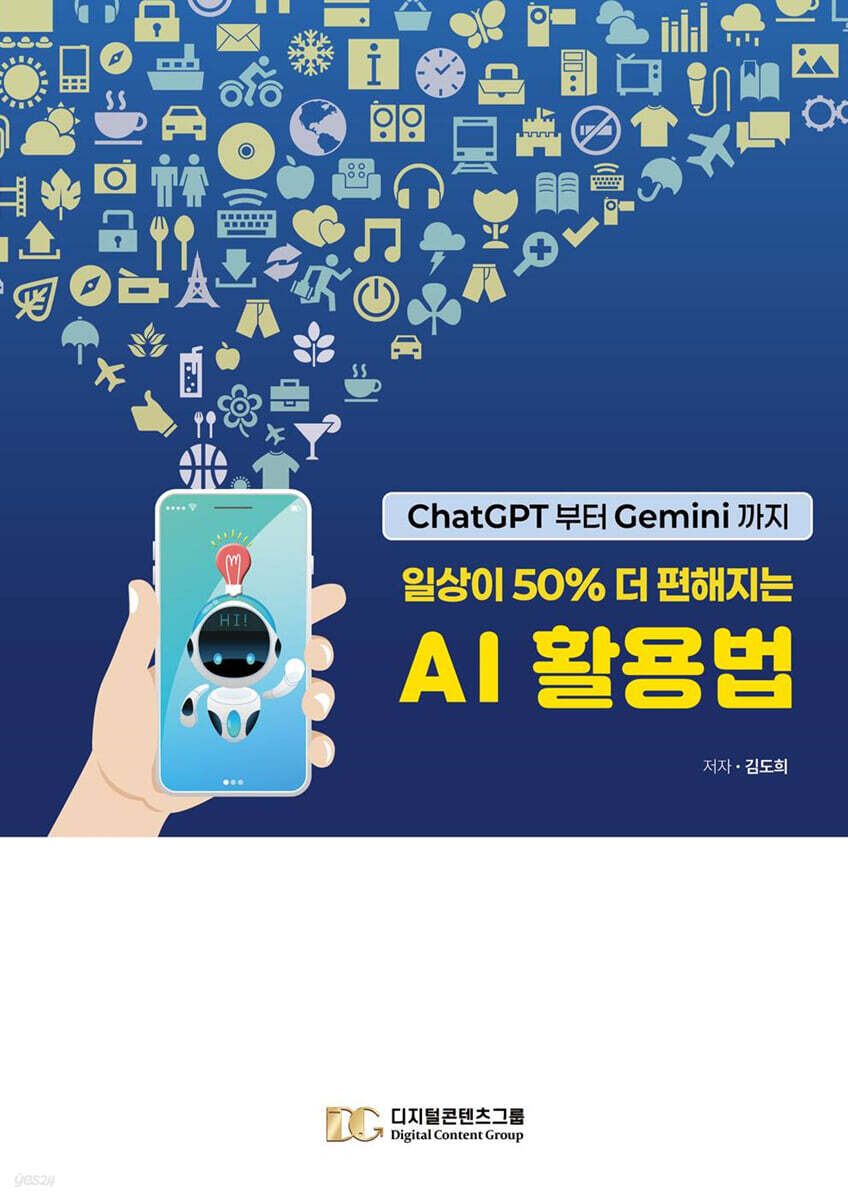
How to Use AI to Make Your Daily Life 50% More Convenient
 |
Description
Book Introduction
The joy of learning and the beginning of practice
In this age of digital transformation, people pride themselves on being adept at using their smartphones, but in reality, most have no systematic experience learning everything from basic operations to practical use.
"The Essentials of Smartphone Education" is a customized guide designed especially for seniors aged 60 and over, so that they can "see with their eyes, follow with their hands, and memorize in their heads." From the moment they turn it on for the first time, it teaches them essential functions for daily life, from photo and video editing to online banking and using public service apps, all in one breath.
It presents solutions that you can use right away, packed with the latest features and practical examples, such as how to quickly compose text using voice input, increase speed by organizing storage space, automate schedule management and translation with AI ChatGPT, real-time camera translation with the Google Translate app, and know-how to block ads or summarize web pages with Chrome browser extensions.
We also covered how users struggling with insufficient storage space can free up space in seconds through automated file organization, and how to instantly find old memories with AI search in the Photos app.
With just this one book, not only seniors, but also teachers, civil servants, small business owners, and job seekers can dramatically improve the efficiency of their work, study, and hobby life using their smartphones.
In this age of digital transformation, people pride themselves on being adept at using their smartphones, but in reality, most have no systematic experience learning everything from basic operations to practical use.
"The Essentials of Smartphone Education" is a customized guide designed especially for seniors aged 60 and over, so that they can "see with their eyes, follow with their hands, and memorize in their heads." From the moment they turn it on for the first time, it teaches them essential functions for daily life, from photo and video editing to online banking and using public service apps, all in one breath.
It presents solutions that you can use right away, packed with the latest features and practical examples, such as how to quickly compose text using voice input, increase speed by organizing storage space, automate schedule management and translation with AI ChatGPT, real-time camera translation with the Google Translate app, and know-how to block ads or summarize web pages with Chrome browser extensions.
We also covered how users struggling with insufficient storage space can free up space in seconds through automated file organization, and how to instantly find old memories with AI search in the Photos app.
With just this one book, not only seniors, but also teachers, civil servants, small business owners, and job seekers can dramatically improve the efficiency of their work, study, and hobby life using their smartphones.
- You can preview some of the book's contents.
Preview
index
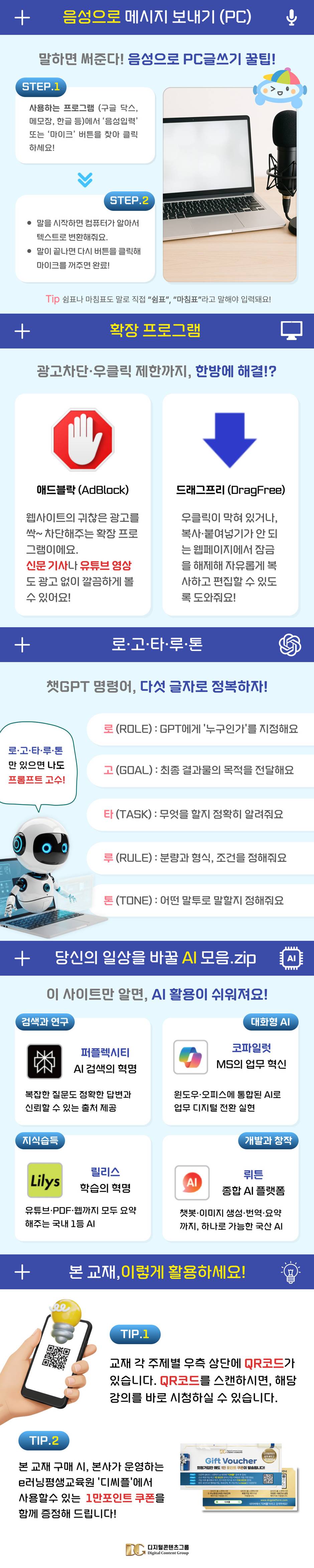
Send text messages by voice
1.
Sending Text Messages via Voice on KakaoTalk ①
2.
Sending a voice message on KakaoTalk ②
3.
Find the voice icon
Managing your smartphone storage
1.
Free up storage space in KakaoTalk settings
2.
Free up storage space using widgets
3.
Optimizing your smartphone device
4.
Free up storage space in Google Play Store app management
Enter text by voice on your PC
1.
Use Google Docs to input by voice
2.
Inputting text by voice using Notepad (based on Windows 11 version)
3.
Input by voice using Hangul (hwp)
How to use Chrome browser properly
● Google Translate
① Translate to image - Use file explorer
② Translating documents
Using extensions
● AdBlock (Advertisement + Block)
① View newspaper articles without advertisements
② Watch YouTube without ads
③ Drag Free - Right-click to unlock
Making the Most of AI
● ChatGPT
1. Understanding AI Easily
2. AI Pros and Cons, Differences Between Paid and Free
How to Write Practical Prompts That Effectively Utilize AI Chat GPT
● Easy-to-learn ChatGPT command strategy with the logo-go-ta-ru-ton structure
1.
Why is the “prompt” important?
2.
The 5 elements of a prompt: logo, go, ta, ru, and tone
3.
A combination of scientifically proven techniques and ?Logotaruton?
4.
Real Work: Research-Proven Prompting Techniques
5.
Use emotional prompts
6.
Writing Practical Prompts with Examples
7.
Conclusion: Questions are the key to success.
● Get started with AI Chat GPT Advanced Voice
Gemini
1.
Installing Gemini
2.
Setting up Gemini
3.
Use the camera/ask a question via text
4.
Ask a question using gallery photos/voice
5.
Chat with Gemini live
6.
Using the Gems feature
Lilys - YouTube and Site Summary
AI recommendation site
1.
Sending Text Messages via Voice on KakaoTalk ①
2.
Sending a voice message on KakaoTalk ②
3.
Find the voice icon
Managing your smartphone storage
1.
Free up storage space in KakaoTalk settings
2.
Free up storage space using widgets
3.
Optimizing your smartphone device
4.
Free up storage space in Google Play Store app management
Enter text by voice on your PC
1.
Use Google Docs to input by voice
2.
Inputting text by voice using Notepad (based on Windows 11 version)
3.
Input by voice using Hangul (hwp)
How to use Chrome browser properly
● Google Translate
① Translate to image - Use file explorer
② Translating documents
Using extensions
● AdBlock (Advertisement + Block)
① View newspaper articles without advertisements
② Watch YouTube without ads
③ Drag Free - Right-click to unlock
Making the Most of AI
● ChatGPT
1. Understanding AI Easily
2. AI Pros and Cons, Differences Between Paid and Free
How to Write Practical Prompts That Effectively Utilize AI Chat GPT
● Easy-to-learn ChatGPT command strategy with the logo-go-ta-ru-ton structure
1.
Why is the “prompt” important?
2.
The 5 elements of a prompt: logo, go, ta, ru, and tone
3.
A combination of scientifically proven techniques and ?Logotaruton?
4.
Real Work: Research-Proven Prompting Techniques
5.
Use emotional prompts
6.
Writing Practical Prompts with Examples
7.
Conclusion: Questions are the key to success.
● Get started with AI Chat GPT Advanced Voice
Gemini
1.
Installing Gemini
2.
Setting up Gemini
3.
Use the camera/ask a question via text
4.
Ask a question using gallery photos/voice
5.
Chat with Gemini live
6.
Using the Gems feature
Lilys - YouTube and Site Summary
AI recommendation site
Detailed image
Publisher's Review
A Guide to Using Smartphones to Change Your Life
- A fun everyday life opened with a smartphone -
This book goes beyond simple smartphone usage and is a practical guide to smartphone usage that explains various functions step-by-step so that even seniors unfamiliar with the digital environment can easily access them.
It is packed with features that will help you use your smartphone and the internet smarter, such as sending messages by voice, organizing storage space, setting up optimized widgets, PC voice input, installing Chrome extensions, blocking ads, and utilizing photo editing apps.
In particular, it includes practical guidance to help seniors get one step closer to the digital world, including how to utilize the latest AI tools such as ChatGPT, Gemini, Lilys, Emotion Factory, and Photofunia.
All major topics include a QR code that takes you directly to the lecture, just scan it with your camera.
Combining text learning with video lectures is an effective structure that increases comprehension and learning persistence.
Another great strength of this book is that it reduces the vague fears and resistance that arise when using a smartphone, and is structured in a way that allows you to put what you learn into practice immediately, enabling self-directed learning.
Additionally, the 10,000-point coupon provided in the book can be used to purchase paid content, download e-books, and sign up for membership on the Digital Content Group's official platform, 'DCPL', helping with learning.
These points are issued immediately upon new membership registration, and additional points can be earned through various activities such as friend referrals and attendance checks, leading to practical educational benefits.
Even after completing the course, you can continue to watch lectures that are in line with the latest trends at the Digital Content e-Learning Lifelong Education Center, or take on certification courses such as smartphone instructor, digital literacy instructor, and AI expert instructor. This book can be considered a "beginning" of learning, not an end.
I hope this book will help you embrace digital technology as a new joy, and lead you not only to everyday use, but also to qualification acquisition and even a second life plan.
Beyond being a simple textbook, it will become a true companion that fosters "digital confidence."
- A fun everyday life opened with a smartphone -
This book goes beyond simple smartphone usage and is a practical guide to smartphone usage that explains various functions step-by-step so that even seniors unfamiliar with the digital environment can easily access them.
It is packed with features that will help you use your smartphone and the internet smarter, such as sending messages by voice, organizing storage space, setting up optimized widgets, PC voice input, installing Chrome extensions, blocking ads, and utilizing photo editing apps.
In particular, it includes practical guidance to help seniors get one step closer to the digital world, including how to utilize the latest AI tools such as ChatGPT, Gemini, Lilys, Emotion Factory, and Photofunia.
All major topics include a QR code that takes you directly to the lecture, just scan it with your camera.
Combining text learning with video lectures is an effective structure that increases comprehension and learning persistence.
Another great strength of this book is that it reduces the vague fears and resistance that arise when using a smartphone, and is structured in a way that allows you to put what you learn into practice immediately, enabling self-directed learning.
Additionally, the 10,000-point coupon provided in the book can be used to purchase paid content, download e-books, and sign up for membership on the Digital Content Group's official platform, 'DCPL', helping with learning.
These points are issued immediately upon new membership registration, and additional points can be earned through various activities such as friend referrals and attendance checks, leading to practical educational benefits.
Even after completing the course, you can continue to watch lectures that are in line with the latest trends at the Digital Content e-Learning Lifelong Education Center, or take on certification courses such as smartphone instructor, digital literacy instructor, and AI expert instructor. This book can be considered a "beginning" of learning, not an end.
I hope this book will help you embrace digital technology as a new joy, and lead you not only to everyday use, but also to qualification acquisition and even a second life plan.
Beyond being a simple textbook, it will become a true companion that fosters "digital confidence."
GOODS SPECIFICS
- Date of issue: July 21, 2025
- Page count, weight, size: 68 pages | 210*297*15mm
- ISBN13: 9791194642237
- ISBN10: 1194642233
You may also like
카테고리
korean


korean

![GQ KOREA Mark (Monthly): December [2025]](http://librairie.coreenne.fr/cdn/shop/files/8ef265dbbfbf186523ed75ba7319009d.jpg?v=1765340328&width=3840)


