

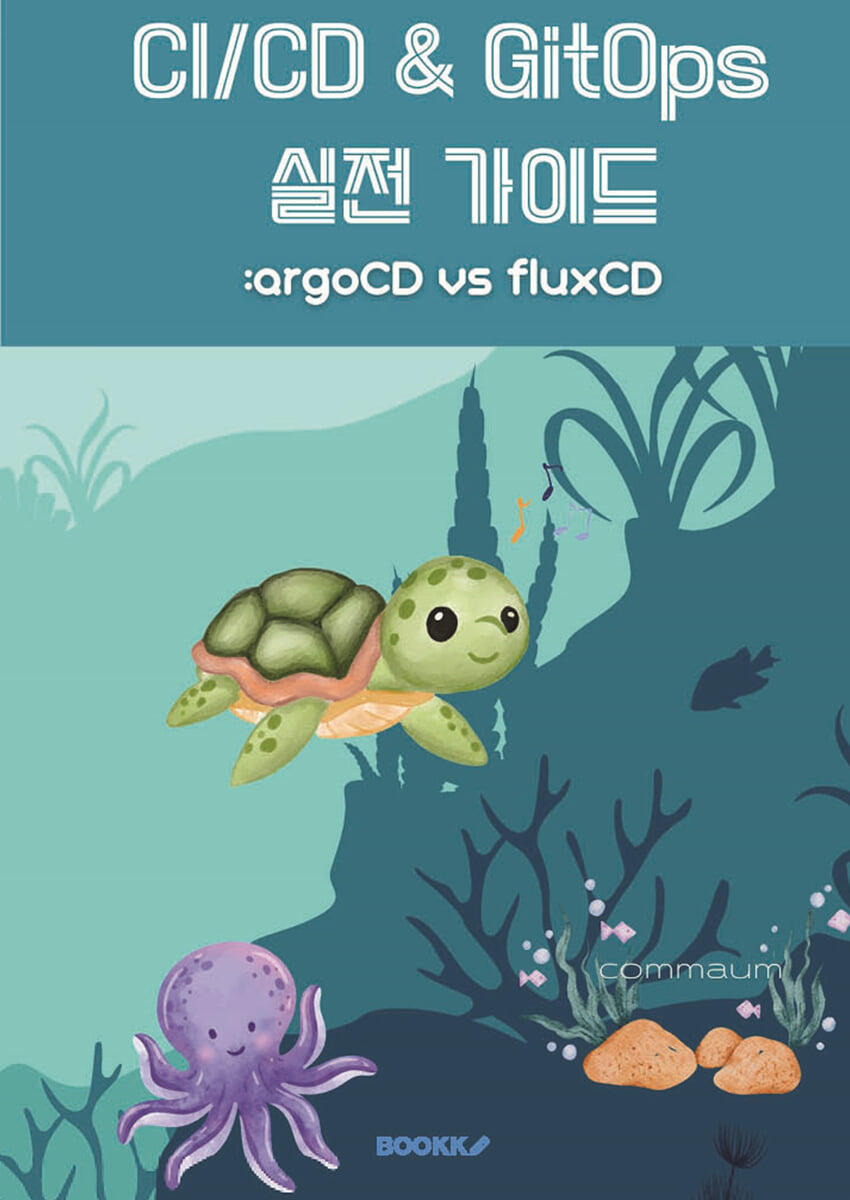
CI/CD & GitOps Practical Guide: ArgoCD vs. FluxCD
 |
Description
Book Introduction
This book comprehensively covers cloud-native technologies and GitOps methodologies essential to modern software development and operations.
From building a Kubernetes cluster to implementing GitOps using Argo CD and Flux CD, we provide a step-by-step guide that can be applied immediately to your work.
This book, which consists of five parts, covers building a cloud-native environment, understanding CI/CD and GitOps, a practical guide to Argo CD, a practical guide to Flux CD, and a CI/CD and GitOps integration strategy.
Each part provides a balanced presentation of theoretical concepts and practical methods to help readers apply GitOps to their own environments.
Considering the challenges of cloud native adoption, we compare and analyze the pros and cons of each tool and technology and suggest selection criteria appropriate to your situation.
We'll guide you through the complete GitOps journey, including how to secure, monitor, and troubleshoot in a real-world production environment.
From building a Kubernetes cluster to implementing GitOps using Argo CD and Flux CD, we provide a step-by-step guide that can be applied immediately to your work.
This book, which consists of five parts, covers building a cloud-native environment, understanding CI/CD and GitOps, a practical guide to Argo CD, a practical guide to Flux CD, and a CI/CD and GitOps integration strategy.
Each part provides a balanced presentation of theoretical concepts and practical methods to help readers apply GitOps to their own environments.
Considering the challenges of cloud native adoption, we compare and analyze the pros and cons of each tool and technology and suggest selection criteria appropriate to your situation.
We'll guide you through the complete GitOps journey, including how to secure, monitor, and troubleshoot in a real-world production environment.
index
Part 1: Preparing to Build a Cloud-Native Environment
Chapter 1: Cloud Native Overview and Environment Preparation
1.1 What is Cloud Native?
1.2 Core Cloud Native Technologies (Containers, Microservices, DevOps, CI/CD)
1.3 Setting up the development environment (Installing Docker, kubectl, Helm, and Kustomize)
Chapter 2: Kubernetes Basic Concepts
2.1 Kubernetes Architecture
2.2 Understanding core objects such as Pods, Services, and Deployments
2.3 Using the kubectl command
Chapter 3: Building a Kubernetes Cluster: kubeadm
3.1 Introduction to kubeadm and its pros and cons
3.2 Step-by-Step Guide to Building a Kubernetes Cluster Using kubeadm
Pre-requisites (VM setup, network setup, containerd installation, etc.)
Initializing the control plane using the kubeadm init command
worker node connection
Installing CNI (Container Network Interface) plugins (Calico, Flannel, etc.)
3.3 Cluster Upgrade and Maintenance Using kubeadm
3.4 kubeadm Troubleshooting
Chapter 4: Building a Kubernetes Cluster: Kubespray
4.1 Introduction to Kubespray and its pros and cons
4.2 Step-by-Step Guide to Building a Kubernetes Cluster Using Kubespray
Pre-requisites (VM setup, Ansible installation, inventory setup, etc.)
Building a cluster by running an Ansible playbook
Scaling up and down clusters with Kubespray
4.3 Cluster Upgrades and Maintenance Using Kubespray
4.4 Kubespray Troubleshooting
Chapter 5: Docker Basic Concepts and Utilization
5.1 Understanding Containers and Images
5.2 How to write a Dockerfile
5.3 Using Docker Commands
5.4 How to Use Docker Compose
5.5 Multi-Stage Build and Image Optimization
Part 2: Understanding CI/CD and GitOps
Chapter 6: CI/CD Overview
6.1 Definition and Importance of CI/CD
6.2 Limitations of Traditional CI/CD Pipelines
6.3 CI/CD Requirements in Cloud-Native Environments
6.4 Considerations for Building a CI/CD Pipeline
Chapter 7: Introduction to GitOps
7.1 What is GitOps?
7.2 Core Principles of GitOps
Declarative Infrastructure
Version Control
Automation
Continuous Reconciliation
7.3 Advantages of GitOps
Improved stability and availability
Faster deployment speed
Enhanced security
Simplified auditing and rollback
7.4 GitOps Workflow
7.5 Considerations When Implementing GitOps
Chapter 8: GitOps Tool Comparison: Argo CD vs. Flux CD
8.1 Introduction to Argo CD
Argo CD Features and Benefits
Argo CD architecture
Argo CD Key Features
8.2 Introducing Flux CD
Features and Benefits of Flux CD
Flux CD architecture
Flux CD Key Features
8.3 Comparative Analysis of Argo CD and Flux CD
Feature Comparison
Architecture Comparison
Ease of Use Comparison
Comparison of communities and ecosystems
8.4 Which tool should I choose?
Project Requirements Analysis
Consider the team's skill level
Consider scalability and maintainability
Part 3: Argo CD Practical Guide
Chapter 9: Installing and Configuring Argo CD
9.1 Preparing the Kubernetes Cluster (Using the Cluster Built in Part 1)
9.2 How to install Argo CD (kubectl, Helm)
9.3 Installing and Using Argo CD CLI
9.4 Using the Argo CD Web UI
9.5 Argo CD Configuration (Authentication, Permission Management, Namespace Restrictions)
Chapter 10: Deploying the Argo CD Application
10.1 Connecting a Git Repository
10.2 Argo CD Application Definition (Application CRD)
10.3 Helm Chart, Kustomize, plain YAML deployment
10.4 Argo CD Sync Policy (Automatic, Manual)
10.5 Argo CD Health Check Settings
10.6 Using the Argo CD Rollback feature
Chapter 11: Using Argo CD's Advanced Features
11.1 Argo CD ApplicationSet
Understanding ApplicationSet Controller
Template-based application creation
Multi-cluster management
11.2 Argo CD Sync Wave and Hook
Distribution order control
Utilize pre-sync, post-sync hooks
11.3 Argo CD Event Listener
External event integration (webhook, message queue)
Automated deployment triggers
11.4 Argo CD Plug-in Development
Chapter 12: Monitoring and Troubleshooting Argo CD
12.1 Collecting and Visualizing Argo CD Metrics
12.2 Argo CD Logging Settings
12.3 How to Troubleshoot Argo CD Problems
12.4 Troubleshooting Common Deployment Errors
Part 4: Flux CD Practical Guide
Chapter 13: Installing and Configuring Flux CD
13.1 Preparing the Kubernetes Cluster (Using the Cluster Built in Part 1)
13.2 How to install Flux CD (Flux CLI)
13.3 Connecting a Git Repository
13.4 Understanding Flux CD Components (Source Controller, Kustomize Controller, Helm Controller)
13.5 Flux CD Settings (Namespace Restrictions, Permission Management)
Chapter 14: Deploying Flux CD Applications
14.1 Deploying with Kustomize
Kustomization CRD
Using Overlay and Patch
14.2 Deployment using Helm Chart
HelmRelease CRD
HelmRepository CRD
14.3 Flux CD Drift Detection and Automatic Correction
Chapter 15: Using Flux CD's Advanced Features
15.1 Flux CD Image Automation
Automatic image updates
ImageRepository, ImagePolicy, ImageUpd
Chapter 1: Cloud Native Overview and Environment Preparation
1.1 What is Cloud Native?
1.2 Core Cloud Native Technologies (Containers, Microservices, DevOps, CI/CD)
1.3 Setting up the development environment (Installing Docker, kubectl, Helm, and Kustomize)
Chapter 2: Kubernetes Basic Concepts
2.1 Kubernetes Architecture
2.2 Understanding core objects such as Pods, Services, and Deployments
2.3 Using the kubectl command
Chapter 3: Building a Kubernetes Cluster: kubeadm
3.1 Introduction to kubeadm and its pros and cons
3.2 Step-by-Step Guide to Building a Kubernetes Cluster Using kubeadm
Pre-requisites (VM setup, network setup, containerd installation, etc.)
Initializing the control plane using the kubeadm init command
worker node connection
Installing CNI (Container Network Interface) plugins (Calico, Flannel, etc.)
3.3 Cluster Upgrade and Maintenance Using kubeadm
3.4 kubeadm Troubleshooting
Chapter 4: Building a Kubernetes Cluster: Kubespray
4.1 Introduction to Kubespray and its pros and cons
4.2 Step-by-Step Guide to Building a Kubernetes Cluster Using Kubespray
Pre-requisites (VM setup, Ansible installation, inventory setup, etc.)
Building a cluster by running an Ansible playbook
Scaling up and down clusters with Kubespray
4.3 Cluster Upgrades and Maintenance Using Kubespray
4.4 Kubespray Troubleshooting
Chapter 5: Docker Basic Concepts and Utilization
5.1 Understanding Containers and Images
5.2 How to write a Dockerfile
5.3 Using Docker Commands
5.4 How to Use Docker Compose
5.5 Multi-Stage Build and Image Optimization
Part 2: Understanding CI/CD and GitOps
Chapter 6: CI/CD Overview
6.1 Definition and Importance of CI/CD
6.2 Limitations of Traditional CI/CD Pipelines
6.3 CI/CD Requirements in Cloud-Native Environments
6.4 Considerations for Building a CI/CD Pipeline
Chapter 7: Introduction to GitOps
7.1 What is GitOps?
7.2 Core Principles of GitOps
Declarative Infrastructure
Version Control
Automation
Continuous Reconciliation
7.3 Advantages of GitOps
Improved stability and availability
Faster deployment speed
Enhanced security
Simplified auditing and rollback
7.4 GitOps Workflow
7.5 Considerations When Implementing GitOps
Chapter 8: GitOps Tool Comparison: Argo CD vs. Flux CD
8.1 Introduction to Argo CD
Argo CD Features and Benefits
Argo CD architecture
Argo CD Key Features
8.2 Introducing Flux CD
Features and Benefits of Flux CD
Flux CD architecture
Flux CD Key Features
8.3 Comparative Analysis of Argo CD and Flux CD
Feature Comparison
Architecture Comparison
Ease of Use Comparison
Comparison of communities and ecosystems
8.4 Which tool should I choose?
Project Requirements Analysis
Consider the team's skill level
Consider scalability and maintainability
Part 3: Argo CD Practical Guide
Chapter 9: Installing and Configuring Argo CD
9.1 Preparing the Kubernetes Cluster (Using the Cluster Built in Part 1)
9.2 How to install Argo CD (kubectl, Helm)
9.3 Installing and Using Argo CD CLI
9.4 Using the Argo CD Web UI
9.5 Argo CD Configuration (Authentication, Permission Management, Namespace Restrictions)
Chapter 10: Deploying the Argo CD Application
10.1 Connecting a Git Repository
10.2 Argo CD Application Definition (Application CRD)
10.3 Helm Chart, Kustomize, plain YAML deployment
10.4 Argo CD Sync Policy (Automatic, Manual)
10.5 Argo CD Health Check Settings
10.6 Using the Argo CD Rollback feature
Chapter 11: Using Argo CD's Advanced Features
11.1 Argo CD ApplicationSet
Understanding ApplicationSet Controller
Template-based application creation
Multi-cluster management
11.2 Argo CD Sync Wave and Hook
Distribution order control
Utilize pre-sync, post-sync hooks
11.3 Argo CD Event Listener
External event integration (webhook, message queue)
Automated deployment triggers
11.4 Argo CD Plug-in Development
Chapter 12: Monitoring and Troubleshooting Argo CD
12.1 Collecting and Visualizing Argo CD Metrics
12.2 Argo CD Logging Settings
12.3 How to Troubleshoot Argo CD Problems
12.4 Troubleshooting Common Deployment Errors
Part 4: Flux CD Practical Guide
Chapter 13: Installing and Configuring Flux CD
13.1 Preparing the Kubernetes Cluster (Using the Cluster Built in Part 1)
13.2 How to install Flux CD (Flux CLI)
13.3 Connecting a Git Repository
13.4 Understanding Flux CD Components (Source Controller, Kustomize Controller, Helm Controller)
13.5 Flux CD Settings (Namespace Restrictions, Permission Management)
Chapter 14: Deploying Flux CD Applications
14.1 Deploying with Kustomize
Kustomization CRD
Using Overlay and Patch
14.2 Deployment using Helm Chart
HelmRelease CRD
HelmRepository CRD
14.3 Flux CD Drift Detection and Automatic Correction
Chapter 15: Using Flux CD's Advanced Features
15.1 Flux CD Image Automation
Automatic image updates
ImageRepository, ImagePolicy, ImageUpd
GOODS SPECIFICS
- Date of issue: March 18, 2025
- Page count, weight, size: 247 pages | 188*257*20mm
- ISBN13: 9791141999414
- ISBN10: 1141999412
You may also like
카테고리
korean


korean

![GQ KOREA Mark (Monthly): December [2025]](http://librairie.coreenne.fr/cdn/shop/files/8ef265dbbfbf186523ed75ba7319009d.jpg?v=1765340328&width=3840)


