

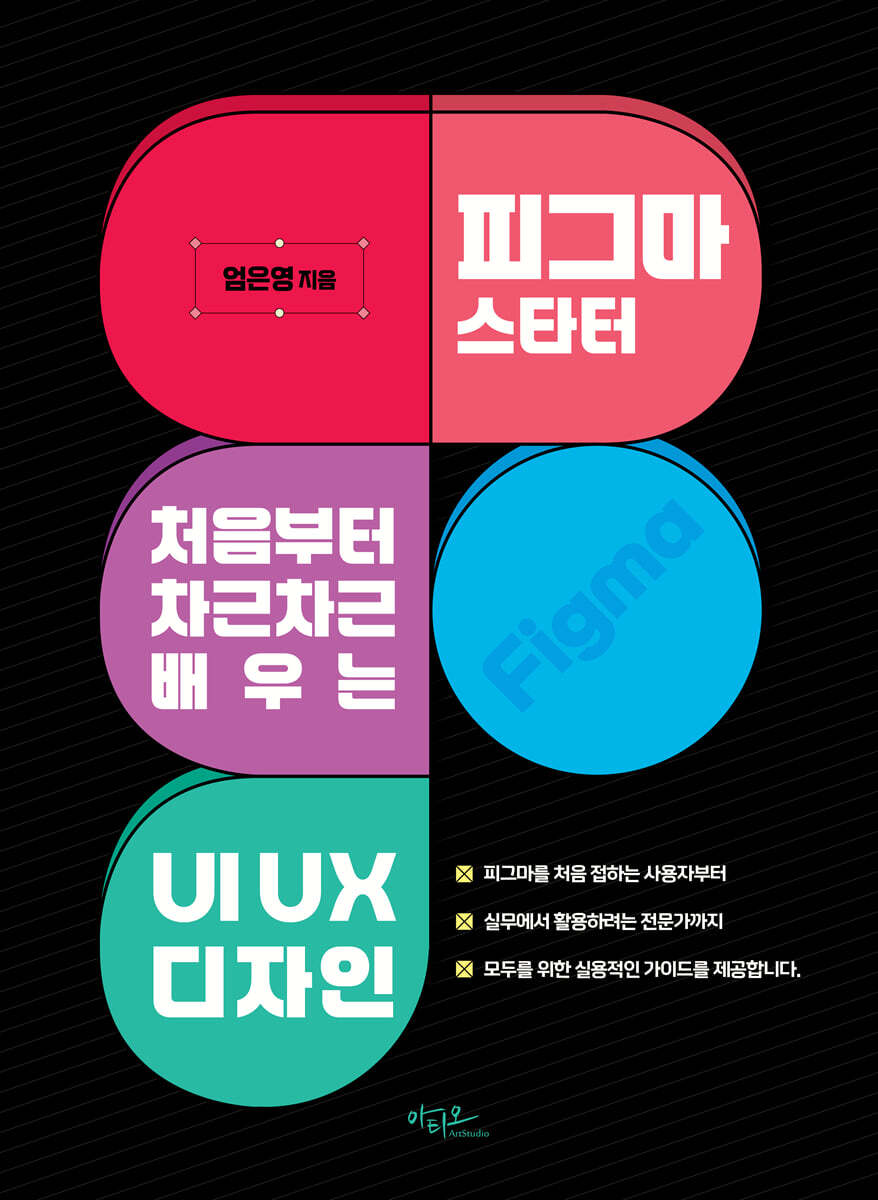
Figma Starter: Learn UIUX Design Step by Step from Scratch
 |
Description
Book Introduction
We provide a practical guide for everyone, from beginners to professionals looking to use Figma in practice.
It is structured in a follow-up format, allowing you to develop your design skills through step-by-step learning, from basic interface explanations to practical examples.
I hope that you will become an expert in this field by planning and applying various designs based on this textbook.
It is structured in a follow-up format, allowing you to develop your design skills through step-by-step learning, from basic interface explanations to practical examples.
I hope that you will become an expert in this field by planning and applying various designs based on this textbook.
- You can preview some of the book's contents.
Preview
index
PART 01 Getting Started with Figma
Section 01 Overview of Figma
Section 02 Understanding UI Design and Devices
1. Understanding UI Design
2.
Understanding the device
Section 03 Understanding graphical representations
1.
graphic design program
2.
Understanding Graphic Color
Section 04 Getting Started with Figma
Section 05: Exploring the Figma Interface
PART 02 Using Figma's Basic Tools
section 01 Creating using shape tools
1.
Create a workspace
2.
Making a diagonal line
3.
Create a logo
4.
Create a line
5.
Enter text
Section 02 Managing Style and Design System Libraries
1.
Create a workspace
2.
Registering a color to a style
3.
Registering text formats to styles
4.
Registering an Effect to a Style
5.
Registering Grid to Style
PART 03: Getting Started with Practical Design with Figma
Section 01 Creating a Music Streaming App Screen
1.
Creating a header
2.
Creating a Main Content Area
3.
Creating a Play Button and More Icon
Section 02 Creating a Landing Page Design
1.
Creating a Main Image Area
2.
Create a travel introduction page
3.
Create a banner
PART 04: Utilizing Figma's Core Features
Section 01 Creating and Managing a Design System
1.
Importing design system files
2.
Creating a typography system
3.
Creating a grid system
Section 02 Academy Web Design Project Production
1.
Creating a Responsive Desktop Coding Academy Web Design - Setting Up a Basic Layout
2.
Creating a header
3.
Creating the Main Visual Area
4.
Creating the Main Content Area 01: Creating the Title Area
5.
Creating a Content Area 02: Creating a Title Area
6.
Creating a Content Area 03
7.
Create a banner area
8.
Creating a footer
9.
Exporting design results
PART 05: Creating a Bakery App UI Design
Section 01 Creating a Bakery App Button
1.
Understanding and Creating Variants
Section 02 Applying the Variants App Button
1.
Get the icons you need for your design
2.
Creating a basic Frame screen
3.
Inserting a status bar
4.
Creating a header
5.
Creating the Main Visual Area
6.
Create a detailed description area
PART 06 Prototyping and Interaction
Section 01 Creating a Carousel Interaction
1.
Editing the app's main screen content
2.
Creating a pagination
3.
Creating a Carousel for the Main Visual Area
4.
Applying Interactions to Carousel
Section 02 Designing and Implementing the Navigation Menu
1.
Set a title
2.
Creating an Overflow Scrolling Interaction
Section 03 Connecting frames and switching screens
1.
Setting up Interactions between Frames
2.
Setting up Interaction between Frames that appear as pop-ups in the details screen
Section 04 Interaction and linking within the screen
Section 05 Configuring Dynamic Navigation Menus
Section 06 Creating and Styling a Tab Bar
1.
Creating a tab bar
2.
Applying Interactions to Move the Tab Bar Menu and App Screen
3.
Fixing the header and tab bar
PART 07 Exploring Collaboration and Development Modes in Figma
Section 01 Registering a Library
Section 02 Exploring Development Mode
1.
Div Mode (paid)
2.
Plugin
Section 03 Share and Explore Together
Section 04: A Look at Figma Version History
Section 01 Overview of Figma
Section 02 Understanding UI Design and Devices
1. Understanding UI Design
2.
Understanding the device
Section 03 Understanding graphical representations
1.
graphic design program
2.
Understanding Graphic Color
Section 04 Getting Started with Figma
Section 05: Exploring the Figma Interface
PART 02 Using Figma's Basic Tools
section 01 Creating using shape tools
1.
Create a workspace
2.
Making a diagonal line
3.
Create a logo
4.
Create a line
5.
Enter text
Section 02 Managing Style and Design System Libraries
1.
Create a workspace
2.
Registering a color to a style
3.
Registering text formats to styles
4.
Registering an Effect to a Style
5.
Registering Grid to Style
PART 03: Getting Started with Practical Design with Figma
Section 01 Creating a Music Streaming App Screen
1.
Creating a header
2.
Creating a Main Content Area
3.
Creating a Play Button and More Icon
Section 02 Creating a Landing Page Design
1.
Creating a Main Image Area
2.
Create a travel introduction page
3.
Create a banner
PART 04: Utilizing Figma's Core Features
Section 01 Creating and Managing a Design System
1.
Importing design system files
2.
Creating a typography system
3.
Creating a grid system
Section 02 Academy Web Design Project Production
1.
Creating a Responsive Desktop Coding Academy Web Design - Setting Up a Basic Layout
2.
Creating a header
3.
Creating the Main Visual Area
4.
Creating the Main Content Area 01: Creating the Title Area
5.
Creating a Content Area 02: Creating a Title Area
6.
Creating a Content Area 03
7.
Create a banner area
8.
Creating a footer
9.
Exporting design results
PART 05: Creating a Bakery App UI Design
Section 01 Creating a Bakery App Button
1.
Understanding and Creating Variants
Section 02 Applying the Variants App Button
1.
Get the icons you need for your design
2.
Creating a basic Frame screen
3.
Inserting a status bar
4.
Creating a header
5.
Creating the Main Visual Area
6.
Create a detailed description area
PART 06 Prototyping and Interaction
Section 01 Creating a Carousel Interaction
1.
Editing the app's main screen content
2.
Creating a pagination
3.
Creating a Carousel for the Main Visual Area
4.
Applying Interactions to Carousel
Section 02 Designing and Implementing the Navigation Menu
1.
Set a title
2.
Creating an Overflow Scrolling Interaction
Section 03 Connecting frames and switching screens
1.
Setting up Interactions between Frames
2.
Setting up Interaction between Frames that appear as pop-ups in the details screen
Section 04 Interaction and linking within the screen
Section 05 Configuring Dynamic Navigation Menus
Section 06 Creating and Styling a Tab Bar
1.
Creating a tab bar
2.
Applying Interactions to Move the Tab Bar Menu and App Screen
3.
Fixing the header and tab bar
PART 07 Exploring Collaboration and Development Modes in Figma
Section 01 Registering a Library
Section 02 Exploring Development Mode
1.
Div Mode (paid)
2.
Plugin
Section 03 Share and Explore Together
Section 04: A Look at Figma Version History
Detailed image

Publisher's Review
ㆍ Figma is a powerful web-based UI/UX design tool that provides a convenient design environment by enabling collaboration and real-time work among team members.
ㆍ You can use it directly from your web browser without having to install it separately.
ㆍ It is optimized so that various departments, including designers, planners, and developers, can work together on projects.
Start designing efficiently with Figma now!
ㆍ You can use it directly from your web browser without having to install it separately.
ㆍ It is optimized so that various departments, including designers, planners, and developers, can work together on projects.
Start designing efficiently with Figma now!
GOODS SPECIFICS
- Date of issue: March 10, 2025
- Page count, weight, size: 359 pages | 188*257*30mm
- ISBN13: 9791192991740
- ISBN10: 1192991745
You may also like
카테고리
korean


korean

![GQ KOREA Mark (Monthly): December [2025]](http://librairie.coreenne.fr/cdn/shop/files/8ef265dbbfbf186523ed75ba7319009d.jpg?v=1765340328&width=3840)


