

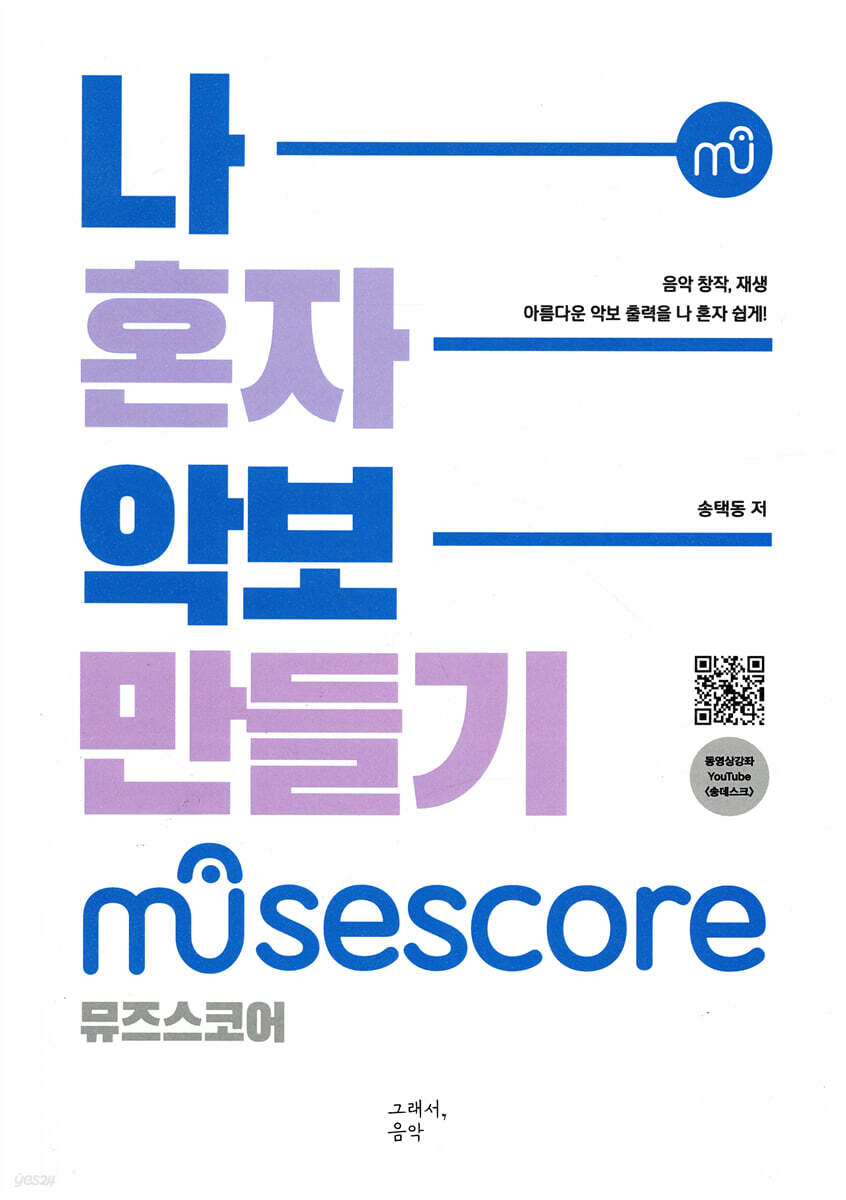
Making sheet music by myself
 |
Description
Book Introduction
The music I made into sheet music?!
MuseScore is a free program that is easy to use, creates high-quality music, and is the best notation software!
Updated video lectures on YouTube (Songdesk)
"Make Sheet Music by Myself" is a book that explains step-by-step so that it is easy to learn and use.
We've organized it into images and short descriptions to help anyone easily create songs, making it easier to understand.
Let's start creating sheet music on my own with MuseScore!
MuseScore is a free program that is easy to use, creates high-quality music, and is the best notation software!
Updated video lectures on YouTube (Songdesk)
"Make Sheet Music by Myself" is a book that explains step-by-step so that it is easy to learn and use.
We've organized it into images and short descriptions to help anyone easily create songs, making it easier to understand.
Let's start creating sheet music on my own with MuseScore!
index
Chapter 1 File
.
Create New Score
.
Creating Parts
.
Save Selection
.
Start Center
.
Pickup Measure
.
Parts
.
MIDI conversion (MIDI)
.
Export Score
.
Import PDF
.
Concert Pitch-Orchestra
.
Export Part
.
Export - File Format
.
My First Score (Change Start Screen)
.
Album
.
Score Properties
.
Export Parts
. MIDI Import Panel
.
Creating multiple layered rhythms with an album
.
Save Online
.
Save (Save, Save As, Save Selection)
Chapter 2 Edit
.
Menu and Preferences
.
Reset Style Shortcut
.
Zoom
.
Pitch Names
.
Choose Score Folder
.
Paste Half Duration, Double
.
Find and move the score
.
MIDI sheet music organization
.
Add a part (instrument) (Instruments)
.
Edit Shortcut Sequence
.
Instruments
.
Shortcut Sequence
.
Rhythm sheet music conversion
.
Find (Search-Find)
.
Default zoom (sheet music size)
.
Using the Laptop Numeric Keypad - Keyboard Shortcuts
.
Start the program
.
Swap with Clipboard
.
Father Exchange - Voice Tools
.
Copy Lyrics to Clipboard
.
Insert Part - Selection Filter
.
Instrument (Part) Display-Instruments
.
Create a part button (TAB)
.
double rhythm
.
Ukulele Tablature
.
Select Section
.
Color notes outside... (color of notes outside the range)
.
Check for updates settings
.
Hide/Show Parts (Visible)
.
Add Staff
.
Edit mode, Select mode
.
Instrument Visible
.
Select Folder - Folders
.
Realize Chord Symbols
Chapter 3 View
.
View Interface
.
Timeline
.
Drumset
.
Pan Score automatically moves to the cursor position
.
Score Comparison Tool
.
Advanced Edited (Advanced Palette)
.
Step-Time (Create Shortcut)
.
Harmonica notation and interface
.
Insert New Palette
.
Master Palette
.
Sheet Music Selection and Search (Navigation)
.
View-Panel
.
How to span a stem...
.
Start With Score
.
Changing part names (instrument names) and setting mixer sounds
.
Toolbars
.
View Mode (How to view sheet music)
.
Change the father and copy (Selection Filter)
.
Sound Font-Synthesizer
.
Master Effects
Chapter 4 Add
.
Note Size - Staff Space
.
Minimum note spacing
.
Mode and note spacing
.
Beginning of note tail, middle of note tail
.
Entering slurs and notes simultaneously
.
Notes (Add notes)
.
Intervals (Add Interval)
.
Add menu
. Copy and paste NWC lyrics
.
Add Note
.
Add Interval (Add Interval) - Chord
.
Image-Scale to Frame Size
.
Append Frame
.
Paste lyrics from another program
.
Show Frame
.
Even-numbered lyrics
.
Add lyrics to the second part
.
Go to Menu
.
Move Lyrics
Chapter 5 Text
.
Repeat Selection
.
Rehearsal Mark-Frame
.
Instrument Change
.
Frame Text - Change the position of Composer, Title
.
Staff type change
.
Part name (instrument name)
.
Move lyric syllables
.
Edit Lyrics - Edit Element
.
Select More
.
Enter and edit lyrics (Text)
.
Chord symbols
.
Special Characters
.
Lyrics Edit (Text Style)
.
Staff Text Properties
.
Lyrics Edit
.
Move lyrics (Lyrics)
.
Keyboard and finger numbers
.
Voting Text Properties - Change Channel
.
Text, song title, composer, lyricist
.
Copy Lyrics
.
Reset Text to Style
.
Sticking symbols
.
Chord symbols (Roman Numeral analysis)
Chapter 6 Format
.
Edit Text Styles - Footer
.
Style, Spacing
.
Minimum measure with (minimum width of a node)
.
Save Style, Load Style
.
Minimum measure width (minimum width of a node)
.
Breaks & Spacers Shortcuts
.
Minimum measure with (minimum width of a node)
.
Minimum Note Distance
.
Page Settings
.
Measures Numbers
.
Add/remove single division
.
Edit Style
.
Add/Remove System Breaks
.
Increase Stretch, Decrease Stretch (bar spacing)
.
Node spacing (Layout stretch: layout range)
.
Save Style, Load Style
.
Edit general style shortcuts
.
Page Size
.
Time stretch
.
Reset Beams
.
Edit Style
.
Sheet Music Editing and Publishing - Text Style
.
Edit Text Styles (lyric size and chord position)
.
Choose template file
Chapter 7 Style
.
Page - Set the interval between votes
.
Adjusting the spacing between bars and creating 4 bars (Measure)
.
Stem, Beam, Dynamics
.
Hide empty staves within Systems
.
Staff Distance
.
Last system fill threshold
.
Modify the musical symbols font
.
Reduce joint spacing
.
Create multimeasure rests
.
Max.system distance - maximum system distance
.
Reduce bar and note spacing - Trailing Space
.
Partially reduce or increase the interval
.
Score layout, Page margin
.
Header Text
.
Fill with slash
.
Toggle rhythmic slash notation
Chapter 8 Inspector
.
Hide notes (Visibility)
.
Inspector - Vertical offset
.
Spanned staves - extension of joint lines
.
Chord note interval
.
Inspector
.
Note Size and Stem Direction - Small & Stem Direction
.
Small note
.
Move Note
.
Edit note heads - Head group
.
Part Name, Text Position Movement
Chapter 9: Measures
.
Remove Entry Trailing Measures
.
Multi Measures
.
Guitar Pro, Band-in-a-Box
.
Split Measure, Join Measure
.
Measure Properties (Measure Properties and Editing)
.
Split or merge bars before the selected note
.
Split Measure
.
Fine adjustment of joint spacing
.
Turning a complete word into an incomplete word
.
Remove selected range
Chapter 10 Notes Input
.
Note Input
.
Enter notes simply
.
Sheet music work process
.
Change pitch without changing rhythm (Re-pitch)
.
Entering sheet music using the keyboard
.
Entering notes using the alphabet
.
Pitch Names
.
Real-Time (automatic) - Real-time input (automatic)
.
Real-Time (manual) - Real-time input (manual)
.
Rhythm
.
Dot input and position change
.
Respell Pitches
.
Insert Note
.
Note Input
.
Triplet
.
Note-Rest Change
.
Entering and Editing Notes (Note)
.
Creating unison notes
.
Respell Pitches
.
unison notes
.
Switch between input and selection modes
.
Re-Pitch (Replace Pitches)
.
Note Input Mode
.
Select lyrics and put them to the tune
.
Creating unison notes
.
MIDI keyboard input
.
Rhythm & Re-pitch - Enter rhythm and change pitch
.
Respell Pitches - Double Flats
Chapter 11 Playback Control
.
Playback Controls (Play Panel)
.
Mixer
.
Insert-Insert note
.
Move notes to select (Select)
.
Reserve Park (Play Count-in at playback start)
.
Tempo, Playback, Mixer
.
Sheet Music Search and Play
.
Mixer and Sound (MIDI Sound) Settings
.
Playback Controls
.
Transposition (play in transposition)
.
Toggle loop playback
.
Velocity and Playback
Chapter 12 Palettes
.
Pallets - Search and Add
.
Prall
.
Turn (tone decoration), Inverted Turn
.
Change time signature
.
Connecting and disconnecting note tails
.
Hide the time signature and insert the Korean traditional music time signature
.
Temporary table organization
.
Alla breve beat change
.
Pedal
.
Ottava 8va(allta), vb(bassa)
.
Glissando
.
Tie two note tails together
.
Beam Properties
.
Change dot note (Dot)
.
Slur
.
Tenuto, accent (Tenuto, sforzato)
.
Crescendo (Hairpins)
.
Repeat mark
.
Brackets
.
Change the clef (Clefs)
.
Grace Note
.
Rest and staff
.
Tempo Marking
.
Breath
.
Editing Note Tails (Beam Properties)
.
Figured Bass
.
Note Groups
.
Articulations & Ornaments
.
Tremolo
.
Tie
.
Creating a Triplet Tremolo
.
Online handbook (term search)
.
Breaks & Spacers
.
Frame & Measures
. TAB (Guitar, Ukulele), Fretboard
.
Arpeggios & Glissandi
.
Rehearsal Mark
.
Staff spacer down (manually adjust staff spacing)
.
Change Time Signatures
.
Note Head and Dot Position
.
Add Picture and Text
.
Connect commas with a hyphen
.
Beam middle - note column connection
.
Caesura (intermission)
.
Noteheads
.
Dot location
.
Insertion of key signatures and automatic removal of temporary keys
.
Add Instrument Change
.
Insert Frame
.
Grace Note
.
Insert image score
.
Insert a selection filter into the palette
.
Ritardand (rit.)
.
Hide time signatures and divide sections
.
Reset note tail connection mode
.
Tempo Marking
.
Creating rhythms and time signature properties
.
Auto Beam
.
Dotted vertical lines and missing joints
.
Crescendo, Diminuendo - Dynamics (Semyeorim)
.
Change the key signature and time signature
.
Octave (Ottava) lines
.
Attaching a Staff Above to a Chord
Chapter 13 Select
.
Copy the same pitch
.
Adding lyrics to a melody (Select-move)
.
Select-Object (horizontal movement selection)
.
Select to end of score
.
Chord Selection - Note above, below
.
Enter the same figure
.
Select
.
Note-Copy
.
Select notes
.
Select - All Similar Elements
.
Vertical offset
.
Auto-align code position - Reset
Chapter 14 Staff
.
Staff Properties - Scale, Cutaway
.
Transpose written pitches to sound
.
Change Instrument
.
Fix to line
.
Staff size - Scale
.
Staff Properties
.
Drum Sheet Music (Drumset)
.
Changing the rhythm score and overlapping rhythms (Staff Properties)
.
Advanced Style Properties
.
Staves
.
Split Staff
.
Change Instrument - Staff Properties
.
Cross Staff Note (moving the clef of a note)
.
Edit drum set
.
Instrument change and temporary table removal
.
Small Staff
.
Staff Distance
.
Change Instrument
Chapter 15 Tools
.
Change Menu
.
Creating a unison melody
.
Voice
.
Unroll Repeats
.
Creating Two-Part Songs with Different Rhythms - Cue Notes
.
Combine and divide parts (parts)
.
Combining two parts with different rhythms
.
Combining two-part notes
.
Making a two-part song easily
.
Transpose
.
Exchange Voice
.
Change Voice Color
.
Matching the starting note of the voice
.
Image capture (Toggle image capture)
.
Voice - Creating notes with different rhythms
.
Transposition
.
Splitting and merging part scores (Explode, Implode)
.
Arranging piano sheet music into orchestral score
.
Fill with Slashes (Rhythm Notation Entry)
.
Toggle Rhythmic Slash Notation
.
Image(Picture)-Add an image(photo)
.
Extracting Parts from the Father - Selection Filter
.
Voice Copy and Insert
.
Image Sheet Music-PNG
.
Insert verse lyrics
.
Regroup Rhythms
.
Making a blank staff
.
Enharmonic changes, respell pitches
.
Change the part and attach it to another part
.
Image size and movement
Chapter 16 Plugins
. ABC Import
. ABC Import
.
Plugins (Plugin Manager, Plugin Creator)
.
Plugins installation and management tool
.
Que Notes and Small Notes
.
Plugin Creator (plugin creation tool)
Chapter 17 Help
.
Download the original MuseScore sheet music
.
Sheet Upload
.
Search for sheet music
.
Save Online
.
Filter by instruments - Search instruments
. Import PDF
.
Download and install MuseScore3
Chapter 18 Other (Other Functions)
.
Note Size - Staff Space
. NWC Sheet Music Conversion and PDFToMusic Pro
.
Adding an add lib
.
Sheet music search shortcuts
.
Move Down, Up (Move between notes)
.
Convert Music Pro sheet music to XML file
.
Music Pro Sheet Music Converter
.
Note division and change
.
Pitch shift
.
Split and merge notes
.
Move notes
.
Note arrangement
.
Process of composing
.
Mirror note head and dot
.
Edit Element
.
Change notes
.
Add chords automatically
.
Guitar (guitar accompaniment sheet music)
.
Splitting notes
.
Transpose Up, Down
.
Rhythm changes and notation
.
MuseScore Lyrics Inputter
. Import PDF scanned sheet music - PhotoScore
.
Chord Symbols (Number Forms)
.
Move the comma
. Import by converting to XML in NWC
.
Swing Settings
.
Change the rhythm and modify the lyrics
.
Transposition
.
Piano Roll Editor
.
Create New Score
.
Creating Parts
.
Save Selection
.
Start Center
.
Pickup Measure
.
Parts
.
MIDI conversion (MIDI)
.
Export Score
.
Import PDF
.
Concert Pitch-Orchestra
.
Export Part
.
Export - File Format
.
My First Score (Change Start Screen)
.
Album
.
Score Properties
.
Export Parts
. MIDI Import Panel
.
Creating multiple layered rhythms with an album
.
Save Online
.
Save (Save, Save As, Save Selection)
Chapter 2 Edit
.
Menu and Preferences
.
Reset Style Shortcut
.
Zoom
.
Pitch Names
.
Choose Score Folder
.
Paste Half Duration, Double
.
Find and move the score
.
MIDI sheet music organization
.
Add a part (instrument) (Instruments)
.
Edit Shortcut Sequence
.
Instruments
.
Shortcut Sequence
.
Rhythm sheet music conversion
.
Find (Search-Find)
.
Default zoom (sheet music size)
.
Using the Laptop Numeric Keypad - Keyboard Shortcuts
.
Start the program
.
Swap with Clipboard
.
Father Exchange - Voice Tools
.
Copy Lyrics to Clipboard
.
Insert Part - Selection Filter
.
Instrument (Part) Display-Instruments
.
Create a part button (TAB)
.
double rhythm
.
Ukulele Tablature
.
Select Section
.
Color notes outside... (color of notes outside the range)
.
Check for updates settings
.
Hide/Show Parts (Visible)
.
Add Staff
.
Edit mode, Select mode
.
Instrument Visible
.
Select Folder - Folders
.
Realize Chord Symbols
Chapter 3 View
.
View Interface
.
Timeline
.
Drumset
.
Pan Score automatically moves to the cursor position
.
Score Comparison Tool
.
Advanced Edited (Advanced Palette)
.
Step-Time (Create Shortcut)
.
Harmonica notation and interface
.
Insert New Palette
.
Master Palette
.
Sheet Music Selection and Search (Navigation)
.
View-Panel
.
How to span a stem...
.
Start With Score
.
Changing part names (instrument names) and setting mixer sounds
.
Toolbars
.
View Mode (How to view sheet music)
.
Change the father and copy (Selection Filter)
.
Sound Font-Synthesizer
.
Master Effects
Chapter 4 Add
.
Note Size - Staff Space
.
Minimum note spacing
.
Mode and note spacing
.
Beginning of note tail, middle of note tail
.
Entering slurs and notes simultaneously
.
Notes (Add notes)
.
Intervals (Add Interval)
.
Add menu
. Copy and paste NWC lyrics
.
Add Note
.
Add Interval (Add Interval) - Chord
.
Image-Scale to Frame Size
.
Append Frame
.
Paste lyrics from another program
.
Show Frame
.
Even-numbered lyrics
.
Add lyrics to the second part
.
Go to Menu
.
Move Lyrics
Chapter 5 Text
.
Repeat Selection
.
Rehearsal Mark-Frame
.
Instrument Change
.
Frame Text - Change the position of Composer, Title
.
Staff type change
.
Part name (instrument name)
.
Move lyric syllables
.
Edit Lyrics - Edit Element
.
Select More
.
Enter and edit lyrics (Text)
.
Chord symbols
.
Special Characters
.
Lyrics Edit (Text Style)
.
Staff Text Properties
.
Lyrics Edit
.
Move lyrics (Lyrics)
.
Keyboard and finger numbers
.
Voting Text Properties - Change Channel
.
Text, song title, composer, lyricist
.
Copy Lyrics
.
Reset Text to Style
.
Sticking symbols
.
Chord symbols (Roman Numeral analysis)
Chapter 6 Format
.
Edit Text Styles - Footer
.
Style, Spacing
.
Minimum measure with (minimum width of a node)
.
Save Style, Load Style
.
Minimum measure width (minimum width of a node)
.
Breaks & Spacers Shortcuts
.
Minimum measure with (minimum width of a node)
.
Minimum Note Distance
.
Page Settings
.
Measures Numbers
.
Add/remove single division
.
Edit Style
.
Add/Remove System Breaks
.
Increase Stretch, Decrease Stretch (bar spacing)
.
Node spacing (Layout stretch: layout range)
.
Save Style, Load Style
.
Edit general style shortcuts
.
Page Size
.
Time stretch
.
Reset Beams
.
Edit Style
.
Sheet Music Editing and Publishing - Text Style
.
Edit Text Styles (lyric size and chord position)
.
Choose template file
Chapter 7 Style
.
Page - Set the interval between votes
.
Adjusting the spacing between bars and creating 4 bars (Measure)
.
Stem, Beam, Dynamics
.
Hide empty staves within Systems
.
Staff Distance
.
Last system fill threshold
.
Modify the musical symbols font
.
Reduce joint spacing
.
Create multimeasure rests
.
Max.system distance - maximum system distance
.
Reduce bar and note spacing - Trailing Space
.
Partially reduce or increase the interval
.
Score layout, Page margin
.
Header Text
.
Fill with slash
.
Toggle rhythmic slash notation
Chapter 8 Inspector
.
Hide notes (Visibility)
.
Inspector - Vertical offset
.
Spanned staves - extension of joint lines
.
Chord note interval
.
Inspector
.
Note Size and Stem Direction - Small & Stem Direction
.
Small note
.
Move Note
.
Edit note heads - Head group
.
Part Name, Text Position Movement
Chapter 9: Measures
.
Remove Entry Trailing Measures
.
Multi Measures
.
Guitar Pro, Band-in-a-Box
.
Split Measure, Join Measure
.
Measure Properties (Measure Properties and Editing)
.
Split or merge bars before the selected note
.
Split Measure
.
Fine adjustment of joint spacing
.
Turning a complete word into an incomplete word
.
Remove selected range
Chapter 10 Notes Input
.
Note Input
.
Enter notes simply
.
Sheet music work process
.
Change pitch without changing rhythm (Re-pitch)
.
Entering sheet music using the keyboard
.
Entering notes using the alphabet
.
Pitch Names
.
Real-Time (automatic) - Real-time input (automatic)
.
Real-Time (manual) - Real-time input (manual)
.
Rhythm
.
Dot input and position change
.
Respell Pitches
.
Insert Note
.
Note Input
.
Triplet
.
Note-Rest Change
.
Entering and Editing Notes (Note)
.
Creating unison notes
.
Respell Pitches
.
unison notes
.
Switch between input and selection modes
.
Re-Pitch (Replace Pitches)
.
Note Input Mode
.
Select lyrics and put them to the tune
.
Creating unison notes
.
MIDI keyboard input
.
Rhythm & Re-pitch - Enter rhythm and change pitch
.
Respell Pitches - Double Flats
Chapter 11 Playback Control
.
Playback Controls (Play Panel)
.
Mixer
.
Insert-Insert note
.
Move notes to select (Select)
.
Reserve Park (Play Count-in at playback start)
.
Tempo, Playback, Mixer
.
Sheet Music Search and Play
.
Mixer and Sound (MIDI Sound) Settings
.
Playback Controls
.
Transposition (play in transposition)
.
Toggle loop playback
.
Velocity and Playback
Chapter 12 Palettes
.
Pallets - Search and Add
.
Prall
.
Turn (tone decoration), Inverted Turn
.
Change time signature
.
Connecting and disconnecting note tails
.
Hide the time signature and insert the Korean traditional music time signature
.
Temporary table organization
.
Alla breve beat change
.
Pedal
.
Ottava 8va(allta), vb(bassa)
.
Glissando
.
Tie two note tails together
.
Beam Properties
.
Change dot note (Dot)
.
Slur
.
Tenuto, accent (Tenuto, sforzato)
.
Crescendo (Hairpins)
.
Repeat mark
.
Brackets
.
Change the clef (Clefs)
.
Grace Note
.
Rest and staff
.
Tempo Marking
.
Breath
.
Editing Note Tails (Beam Properties)
.
Figured Bass
.
Note Groups
.
Articulations & Ornaments
.
Tremolo
.
Tie
.
Creating a Triplet Tremolo
.
Online handbook (term search)
.
Breaks & Spacers
.
Frame & Measures
. TAB (Guitar, Ukulele), Fretboard
.
Arpeggios & Glissandi
.
Rehearsal Mark
.
Staff spacer down (manually adjust staff spacing)
.
Change Time Signatures
.
Note Head and Dot Position
.
Add Picture and Text
.
Connect commas with a hyphen
.
Beam middle - note column connection
.
Caesura (intermission)
.
Noteheads
.
Dot location
.
Insertion of key signatures and automatic removal of temporary keys
.
Add Instrument Change
.
Insert Frame
.
Grace Note
.
Insert image score
.
Insert a selection filter into the palette
.
Ritardand (rit.)
.
Hide time signatures and divide sections
.
Reset note tail connection mode
.
Tempo Marking
.
Creating rhythms and time signature properties
.
Auto Beam
.
Dotted vertical lines and missing joints
.
Crescendo, Diminuendo - Dynamics (Semyeorim)
.
Change the key signature and time signature
.
Octave (Ottava) lines
.
Attaching a Staff Above to a Chord
Chapter 13 Select
.
Copy the same pitch
.
Adding lyrics to a melody (Select-move)
.
Select-Object (horizontal movement selection)
.
Select to end of score
.
Chord Selection - Note above, below
.
Enter the same figure
.
Select
.
Note-Copy
.
Select notes
.
Select - All Similar Elements
.
Vertical offset
.
Auto-align code position - Reset
Chapter 14 Staff
.
Staff Properties - Scale, Cutaway
.
Transpose written pitches to sound
.
Change Instrument
.
Fix to line
.
Staff size - Scale
.
Staff Properties
.
Drum Sheet Music (Drumset)
.
Changing the rhythm score and overlapping rhythms (Staff Properties)
.
Advanced Style Properties
.
Staves
.
Split Staff
.
Change Instrument - Staff Properties
.
Cross Staff Note (moving the clef of a note)
.
Edit drum set
.
Instrument change and temporary table removal
.
Small Staff
.
Staff Distance
.
Change Instrument
Chapter 15 Tools
.
Change Menu
.
Creating a unison melody
.
Voice
.
Unroll Repeats
.
Creating Two-Part Songs with Different Rhythms - Cue Notes
.
Combine and divide parts (parts)
.
Combining two parts with different rhythms
.
Combining two-part notes
.
Making a two-part song easily
.
Transpose
.
Exchange Voice
.
Change Voice Color
.
Matching the starting note of the voice
.
Image capture (Toggle image capture)
.
Voice - Creating notes with different rhythms
.
Transposition
.
Splitting and merging part scores (Explode, Implode)
.
Arranging piano sheet music into orchestral score
.
Fill with Slashes (Rhythm Notation Entry)
.
Toggle Rhythmic Slash Notation
.
Image(Picture)-Add an image(photo)
.
Extracting Parts from the Father - Selection Filter
.
Voice Copy and Insert
.
Image Sheet Music-PNG
.
Insert verse lyrics
.
Regroup Rhythms
.
Making a blank staff
.
Enharmonic changes, respell pitches
.
Change the part and attach it to another part
.
Image size and movement
Chapter 16 Plugins
. ABC Import
. ABC Import
.
Plugins (Plugin Manager, Plugin Creator)
.
Plugins installation and management tool
.
Que Notes and Small Notes
.
Plugin Creator (plugin creation tool)
Chapter 17 Help
.
Download the original MuseScore sheet music
.
Sheet Upload
.
Search for sheet music
.
Save Online
.
Filter by instruments - Search instruments
. Import PDF
.
Download and install MuseScore3
Chapter 18 Other (Other Functions)
.
Note Size - Staff Space
. NWC Sheet Music Conversion and PDFToMusic Pro
.
Adding an add lib
.
Sheet music search shortcuts
.
Move Down, Up (Move between notes)
.
Convert Music Pro sheet music to XML file
.
Music Pro Sheet Music Converter
.
Note division and change
.
Pitch shift
.
Split and merge notes
.
Move notes
.
Note arrangement
.
Process of composing
.
Mirror note head and dot
.
Edit Element
.
Change notes
.
Add chords automatically
.
Guitar (guitar accompaniment sheet music)
.
Splitting notes
.
Transpose Up, Down
.
Rhythm changes and notation
.
MuseScore Lyrics Inputter
. Import PDF scanned sheet music - PhotoScore
.
Chord Symbols (Number Forms)
.
Move the comma
. Import by converting to XML in NWC
.
Swing Settings
.
Change the rhythm and modify the lyrics
.
Transposition
.
Piano Roll Editor
Detailed image

GOODS SPECIFICS
- Publication date: February 20, 2021
- Page count, weight, size: 304 pages | 992g | 210*297*17mm
- ISBN13: 9791191118124
- ISBN10: 1191118126
You may also like
카테고리
korean


korean

![GQ KOREA Mark (Monthly): December [2025]](http://librairie.coreenne.fr/cdn/shop/files/8ef265dbbfbf186523ed75ba7319009d.jpg?v=1765340328&width=3840)


