

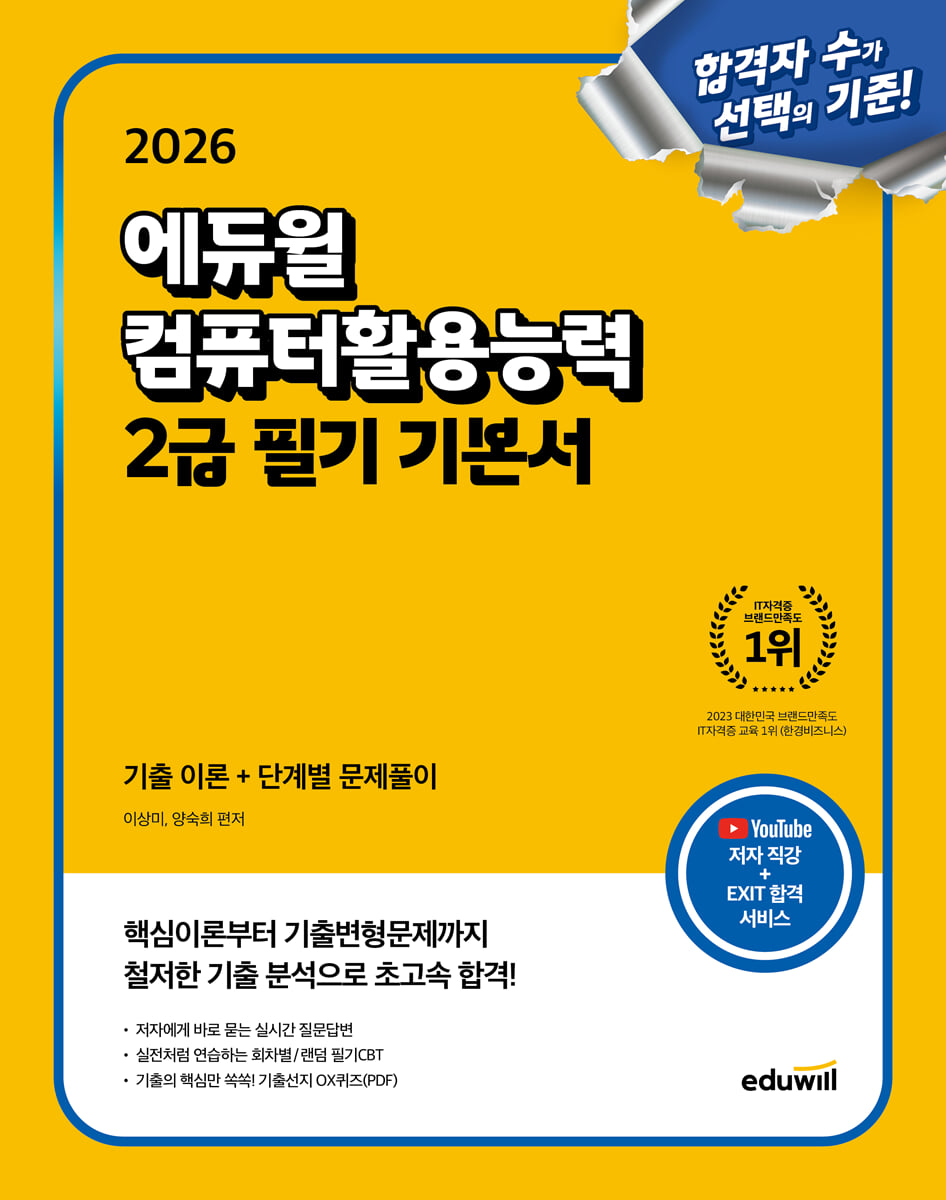
2026 Eduwill Computer Proficiency Level 2 Written Test Basics
 |
Description
Book Introduction
Pass super fast with thorough analysis of past exam questions, from core theories to modified questions!
1.
Includes core theories that perfectly analyze past exam questions.
2.
Step-by-step problem-solving structure that leads to Warming Up, Build Up, Jump Up, and Level Up.
3.
Provides 6 sets of 3-year modified questions in a format most similar to the recent exam, as well as CBT mock exams
4.
Quickly review concepts right before the exam with "#FrequentConcepts in One Go"
1.
Includes core theories that perfectly analyze past exam questions.
2.
Step-by-step problem-solving structure that leads to Warming Up, Build Up, Jump Up, and Level Up.
3.
Provides 6 sets of 3-year modified questions in a format most similar to the recent exam, as well as CBT mock exams
4.
Quickly review concepts right before the exam with "#FrequentConcepts in One Go"
- You can preview some of the book's contents.
Preview
index
[Volume 1] 1 Subject: General Computers
Chapter 1 Basic Features of Windows 10
001 Features of Windows 10
002 How to Use the Mouse and Keyboard
003 Desktop and Shortcut Icons
004 Start Menu and Taskbar
005 Trash Can
006 File Explorer
007 Files and Folders
008 Auxiliary Program
009 Task Manager and Command Prompt
010 Print
True or False Quiz
Reinforce concepts with Build Up past questions
Chapter 2 Advanced Features of Windows 10
011 [Settings] window
012 [Settings] Window - System
013 [Settings] window - Device
014 [Settings] window - Personal settings
015 [Settings] window - Apps
016 [Settings] window - Account
017 [Settings] window - Accessibility
018 [Settings] window - Update and Security
019 Management Tools
020 System Configuration
True or False Quiz
Reinforce concepts with Build Up past questions
Chapter 3 Using Computer Systems
021 The Development and Classification of Computers
022 Data Representation and Processing
023 Central Processing Unit
024 Memory Device
025 Other devices
026 Computer Management and Troubleshooting
True or False Quiz
Reinforce concepts with Build Up past questions
Chapter 4 Computer Software
027 Classification of Software
028 Operating System
029 Programming Language
030 Web Programming Language
True or False Quiz
Reinforce concepts with Build Up past questions
Chapter 5 Multimedia Utilization
031 Multimedia Overview
032 Graphic data
033 Sound Data
034 Video Data
True or False Quiz
Reinforce concepts with Build Up past questions
Chapter 6 Internet Utilization
035 Information and Communication
036 OSI 7 Layers and Network Devices
Protocol 037
038 Overview of the Internet
039 Web Browser Usage and Settings
040 Internet Service
041 Utilizing the latest information and communication technologies
True or False Quiz
Reinforce concepts with Build Up past questions
Chapter 7 Protecting Computer Systems
042 Information Ethics Basics
043 Copyright Protection
044 Privacy Policy
045 Computer Crime
046 Computer Virus
047 Information Security
True or False Quiz
Reinforce concepts with Build Up past questions
Jump Up: Reconstructed past exam questions and mock exams by subject
[Volume 2] General Spreadsheet for 2 Subjects
Chapter 1: Overview of Spreadsheets
048 Overview of Excel
049 File Management
050 Integrated Document Management
True or False Quiz
Reinforce concepts with Build Up past questions
Chapter 2 Data Entry and Editing
051 Data Entry
052 Data Editing
053 Format Settings
True or False Quiz
Reinforce concepts with Build Up past questions
Chapter 3 Using Formulas
054 Writing a formula
055 function
056 Mathematical functions, statistical functions
057 Date/Time Functions, Logical Functions, String Functions
058 Find/Reference Functions, Database Functions
True or False Quiz
Reinforce concepts with Build Up past questions
Chapter 4 Data Management
059 Importing external data
060 Sort and Filter
061 Data Tools
062 Virtual Analysis
063 Overview and Subtotals
064 Pivot Tables and Pivot Charts
True or False Quiz
Reinforce concepts with Build Up past questions
Chapter 5 Using Charts
065 Chart Creation
Editing chart 066
067 Add chart element
068 Chart Formatting
True or False Quiz
Reinforce concepts with Build Up past questions
Chapter 6 Output Operations
069 Page Layout Settings
View 070 workbook
071 Print job
True or False Quiz
Reinforce concepts with Build Up past questions
Chapter 7 Using Macros
072 Macro Writing
073 Run Macro
True or False Quiz
Reinforce concepts with Build Up past questions
Jump Up: Reconstructed past exam questions and mock exams by subject
[Volume 3] Special Appendix
#FrequentlyAppearingConcepts in One Shot
Level Up regular exam questions modified from previous exams
Level Up Answers and Explanations
Chapter 1 Basic Features of Windows 10
001 Features of Windows 10
002 How to Use the Mouse and Keyboard
003 Desktop and Shortcut Icons
004 Start Menu and Taskbar
005 Trash Can
006 File Explorer
007 Files and Folders
008 Auxiliary Program
009 Task Manager and Command Prompt
010 Print
True or False Quiz
Reinforce concepts with Build Up past questions
Chapter 2 Advanced Features of Windows 10
011 [Settings] window
012 [Settings] Window - System
013 [Settings] window - Device
014 [Settings] window - Personal settings
015 [Settings] window - Apps
016 [Settings] window - Account
017 [Settings] window - Accessibility
018 [Settings] window - Update and Security
019 Management Tools
020 System Configuration
True or False Quiz
Reinforce concepts with Build Up past questions
Chapter 3 Using Computer Systems
021 The Development and Classification of Computers
022 Data Representation and Processing
023 Central Processing Unit
024 Memory Device
025 Other devices
026 Computer Management and Troubleshooting
True or False Quiz
Reinforce concepts with Build Up past questions
Chapter 4 Computer Software
027 Classification of Software
028 Operating System
029 Programming Language
030 Web Programming Language
True or False Quiz
Reinforce concepts with Build Up past questions
Chapter 5 Multimedia Utilization
031 Multimedia Overview
032 Graphic data
033 Sound Data
034 Video Data
True or False Quiz
Reinforce concepts with Build Up past questions
Chapter 6 Internet Utilization
035 Information and Communication
036 OSI 7 Layers and Network Devices
Protocol 037
038 Overview of the Internet
039 Web Browser Usage and Settings
040 Internet Service
041 Utilizing the latest information and communication technologies
True or False Quiz
Reinforce concepts with Build Up past questions
Chapter 7 Protecting Computer Systems
042 Information Ethics Basics
043 Copyright Protection
044 Privacy Policy
045 Computer Crime
046 Computer Virus
047 Information Security
True or False Quiz
Reinforce concepts with Build Up past questions
Jump Up: Reconstructed past exam questions and mock exams by subject
[Volume 2] General Spreadsheet for 2 Subjects
Chapter 1: Overview of Spreadsheets
048 Overview of Excel
049 File Management
050 Integrated Document Management
True or False Quiz
Reinforce concepts with Build Up past questions
Chapter 2 Data Entry and Editing
051 Data Entry
052 Data Editing
053 Format Settings
True or False Quiz
Reinforce concepts with Build Up past questions
Chapter 3 Using Formulas
054 Writing a formula
055 function
056 Mathematical functions, statistical functions
057 Date/Time Functions, Logical Functions, String Functions
058 Find/Reference Functions, Database Functions
True or False Quiz
Reinforce concepts with Build Up past questions
Chapter 4 Data Management
059 Importing external data
060 Sort and Filter
061 Data Tools
062 Virtual Analysis
063 Overview and Subtotals
064 Pivot Tables and Pivot Charts
True or False Quiz
Reinforce concepts with Build Up past questions
Chapter 5 Using Charts
065 Chart Creation
Editing chart 066
067 Add chart element
068 Chart Formatting
True or False Quiz
Reinforce concepts with Build Up past questions
Chapter 6 Output Operations
069 Page Layout Settings
View 070 workbook
071 Print job
True or False Quiz
Reinforce concepts with Build Up past questions
Chapter 7 Using Macros
072 Macro Writing
073 Run Macro
True or False Quiz
Reinforce concepts with Build Up past questions
Jump Up: Reconstructed past exam questions and mock exams by subject
[Volume 3] Special Appendix
#FrequentlyAppearingConcepts in One Shot
Level Up regular exam questions modified from previous exams
Level Up Answers and Explanations
Detailed image

Publisher's Review
[Special Offer]
- [Free Lecture] Theory Lecture 14
- [Written CBT] Written CBT provided by round/randomly
- [Study Planner] 2-Week/10-Day Pass Study Planner (Included in the textbook)
- [Real-time Q&A Service] Q&A service where the author directly answers questions within 24 hours.
- [PDF supplementary material] True or False Quiz (PDF) containing only the key points from past exam questions!
[Structure of this book]
1.
Complete analysis of past exam questions! "Core Theory" contains only the essentials.
- Complete analysis and condensation of the written computer skills test to form core theories.
- Check exam questions with crucial hints
- Use auxiliary units to explain terms and provide additional learning content.
- Important keywords are highlighted with a highlighter
2.
Step-by-step problem-solving structure!
- Concept confirmation through Warm-up problems
- Reinforce concepts with Build Up modified questions
- Jump Up: Check your subject-specific skills with mock exams based on previous exam questions
- Final review through 6 sets of modified questions from previous Level Up regular exams
- [Free Lecture] Theory Lecture 14
- [Written CBT] Written CBT provided by round/randomly
- [Study Planner] 2-Week/10-Day Pass Study Planner (Included in the textbook)
- [Real-time Q&A Service] Q&A service where the author directly answers questions within 24 hours.
- [PDF supplementary material] True or False Quiz (PDF) containing only the key points from past exam questions!
[Structure of this book]
1.
Complete analysis of past exam questions! "Core Theory" contains only the essentials.
- Complete analysis and condensation of the written computer skills test to form core theories.
- Check exam questions with crucial hints
- Use auxiliary units to explain terms and provide additional learning content.
- Important keywords are highlighted with a highlighter
2.
Step-by-step problem-solving structure!
- Concept confirmation through Warm-up problems
- Reinforce concepts with Build Up modified questions
- Jump Up: Check your subject-specific skills with mock exams based on previous exam questions
- Final review through 6 sets of modified questions from previous Level Up regular exams
GOODS SPECIFICS
- Date of issue: September 5, 2025
- Page count, weight, size: 600 pages | 1,260g | 205*260*25mm
- ISBN13: 9791136038821
- ISBN10: 1136038825
You may also like
카테고리
korean


korean

![GQ KOREA Mark (Monthly): December [2025]](http://librairie.coreenne.fr/cdn/shop/files/8ef265dbbfbf186523ed75ba7319009d.jpg?v=1765340328&width=3840)


