

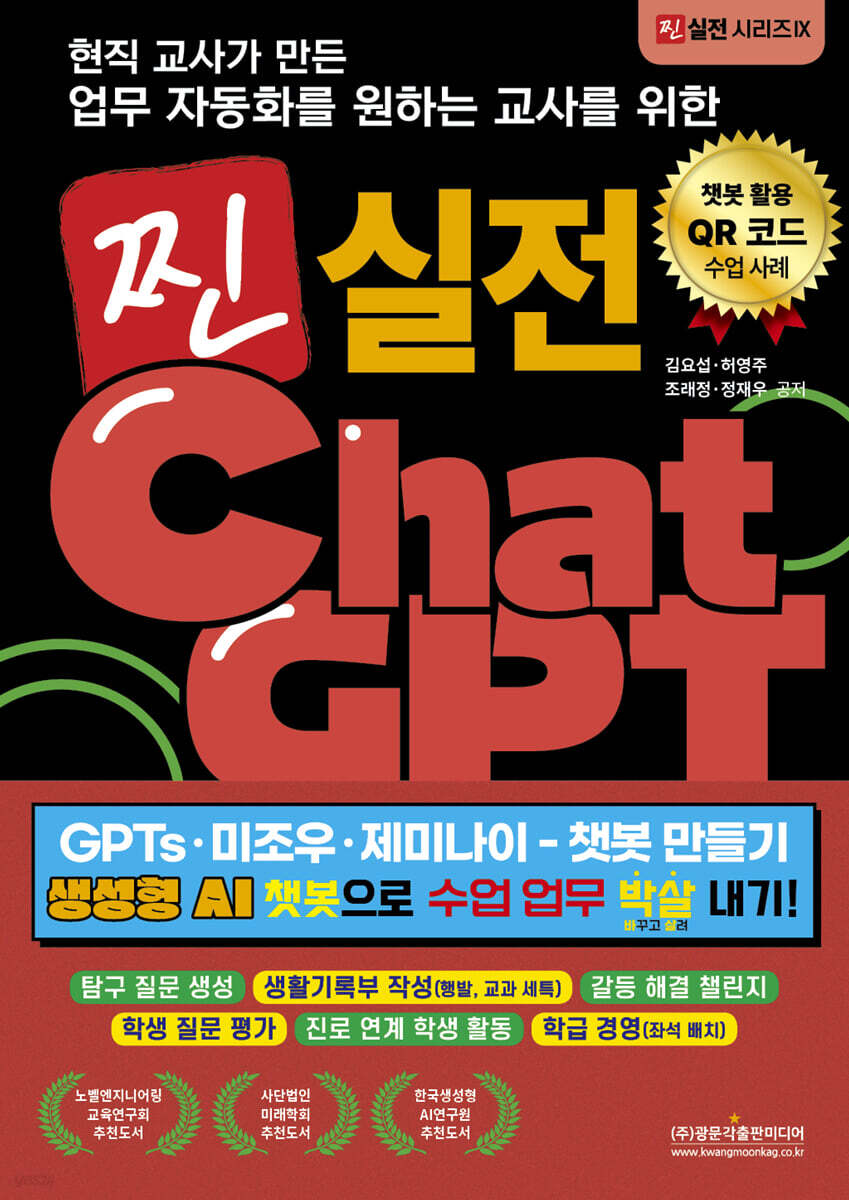
Real-world Chat GPT for Teachers Who Want to Automate Work, Created by Current Teachers GPTs, Mijou, and Gemini - Create a Chatbot. Smash Class Work with Generative AI Chatbots!
 |
Description
Book Introduction
This book covers three AI tools: 'GPTs', better known as 'My GPT', 'Mizou', an AI chatbot tool developed for classroom use, and 'Gemini', an AI tool that even minors can use for free. It also introduces cases of creating AI chatbots and using them directly in actual classes, assessments, records, and classroom management.
Before introducing the three tools, Part 1 introduces the 'prompt technique', a method of giving commands to AI.
We help current teachers understand this prompting technique and use sophisticated prompts to create AI chatbots that fit their curriculum.
Additionally, it provides guidance on precautions when using artificial intelligence in education, pointing out areas that teachers may miss in their classes.
Part 2, Part 3, and Part 4, which introduce each chatbot, are organized into [Tool Introduction] - [Tool Usage] - [Use Cases].
In particular, the [Use Cases] section is the core of this book.
It contains stories of current teachers who changed the way they teach in the classroom.
Each case covered the 'concern' it originated from, the chatbot usage it 'conceived' to solve the concern, the 'prompts' it created to implement the conceived chatbot, and the actual 'cases' it was used for.
I hope that through this, teachers who read this book will come up with various ideas that they can use in their own subjects or classes.
Before introducing the three tools, Part 1 introduces the 'prompt technique', a method of giving commands to AI.
We help current teachers understand this prompting technique and use sophisticated prompts to create AI chatbots that fit their curriculum.
Additionally, it provides guidance on precautions when using artificial intelligence in education, pointing out areas that teachers may miss in their classes.
Part 2, Part 3, and Part 4, which introduce each chatbot, are organized into [Tool Introduction] - [Tool Usage] - [Use Cases].
In particular, the [Use Cases] section is the core of this book.
It contains stories of current teachers who changed the way they teach in the classroom.
Each case covered the 'concern' it originated from, the chatbot usage it 'conceived' to solve the concern, the 'prompts' it created to implement the conceived chatbot, and the actual 'cases' it was used for.
I hope that through this, teachers who read this book will come up with various ideas that they can use in their own subjects or classes.
- You can preview some of the book's contents.
Preview
index
How to read this book
1. Use AI chatbots effectively
Entering
1.1.
What are Generative AI and Large Language Models (LLMs)?
1.2.
Prompt Engineering
1.2.1.
Role-prompting
1.2.2.
Zero-shot, one-shot, and few-shot prompting
1.2.3.
Chain of thought (CoT)
1.2.4.
Zero-shot Chain of Thougth (Zero-shot CoT)
1.2.5.
Generated knowledge
1.2.6.
Tree of Thoughts (ToT)
1.2.7.
Graph of Thoughts (GoT)
1.2.8.
26 Design Principles to Streamline Your Prompting Process
1.3.
Precautions When Using AI Technology in Education
1.3.1.
Check the guidelines and official documents of each education office
1.3.2.
Ethical Considerations
1.4.
Why AI Chatbots Are Great for Classroom Use
2. GPTs (My GPT)
2.1. Introduction to GPTs
2.1.1. What are GPTs?
2.1.2 Differences between GPTs and other AIs
2.1.3 Basic Principles of GPTs
2.1.4 GPTs Usage Policy
2.2. Creating a Chatbot with GPTs Customization Features
2.2.1 Basic Concepts of Customization
2.2.2 Setting up custom 'guidelines'
2.2.3 Uploading a 'Knowledge' File
2.2.4 Creating Simple GPTs
2.2.5 Inserting examples into prompts
2.2.6 Deploying GPTs
2.3. GPTs Utilization Cases
2.3.1 GPTs for Lessons Where Students Ask Questions
2.3.2 GPTs for Performance Assessment Grading
2.3.3 GPTs that generate inquiry questions based on achievement criteria
2.3.4 GPTs that write drafts of travel plans by simply entering words
2.3.5 GPTs who write drafts of special curriculum items based on activity sheets
3.
Mizou
3.1.
Introduction to Mizou
3.1.1 What is Mizou?
3.1.2 Differences between Mizou and other AIs
3.1.3 Why Mizou is Needed in the Classroom
3.1.4 Ethical and Safety Considerations When Using Mizou
3.2.
Create your own chatbot with Mizou
3.2.1 Creating a Chatbot with Mizou
3.2.2 Sharing a session created with Mizou with students
3.2.3 Managing Dashboards with Mizou
3.2.4 Observing and Evaluating Individual Student Conversations with Mizou
3.3.
Mizou Usage Cases
3.3.1 Student-tailored English dictionary
3.3.2 Conflict Resolution Challenge Chatbot
3.3.3 Why are you all so down? UP! Chatbot
3.3.4 Class Cheering Song Lyrics Chatbot
3.3.5 Chatbot that evaluates student questions
4.
Gemini (Google Gemini)
4.1.
Introducing Gemini
4.1.1 What is Gemini?
4.1.2 Differences between Gemini and other AIs
4.1.3.
Gemini Usage Policy
4.2.
Using Gemini
4.2.1 Enabling School Google Accounts
4.2.2 General Chat
4.2.3 Gem (Custom Chatbot)
4.3.
Gemini Use Cases
4.3.1 Career-Linked Student Activity: Creating a Gemini Chatbot
4.3.2.
Designing an Evaluation
4.3.3 Using design tools to contextualize teaching materials
4.3.4 Arranging Class Seating
4.3.5 Refine Class/Parent Information Materials
4.3.6 Creating a Counseling Log and Feedback Materials
References
1. Use AI chatbots effectively
Entering
1.1.
What are Generative AI and Large Language Models (LLMs)?
1.2.
Prompt Engineering
1.2.1.
Role-prompting
1.2.2.
Zero-shot, one-shot, and few-shot prompting
1.2.3.
Chain of thought (CoT)
1.2.4.
Zero-shot Chain of Thougth (Zero-shot CoT)
1.2.5.
Generated knowledge
1.2.6.
Tree of Thoughts (ToT)
1.2.7.
Graph of Thoughts (GoT)
1.2.8.
26 Design Principles to Streamline Your Prompting Process
1.3.
Precautions When Using AI Technology in Education
1.3.1.
Check the guidelines and official documents of each education office
1.3.2.
Ethical Considerations
1.4.
Why AI Chatbots Are Great for Classroom Use
2. GPTs (My GPT)
2.1. Introduction to GPTs
2.1.1. What are GPTs?
2.1.2 Differences between GPTs and other AIs
2.1.3 Basic Principles of GPTs
2.1.4 GPTs Usage Policy
2.2. Creating a Chatbot with GPTs Customization Features
2.2.1 Basic Concepts of Customization
2.2.2 Setting up custom 'guidelines'
2.2.3 Uploading a 'Knowledge' File
2.2.4 Creating Simple GPTs
2.2.5 Inserting examples into prompts
2.2.6 Deploying GPTs
2.3. GPTs Utilization Cases
2.3.1 GPTs for Lessons Where Students Ask Questions
2.3.2 GPTs for Performance Assessment Grading
2.3.3 GPTs that generate inquiry questions based on achievement criteria
2.3.4 GPTs that write drafts of travel plans by simply entering words
2.3.5 GPTs who write drafts of special curriculum items based on activity sheets
3.
Mizou
3.1.
Introduction to Mizou
3.1.1 What is Mizou?
3.1.2 Differences between Mizou and other AIs
3.1.3 Why Mizou is Needed in the Classroom
3.1.4 Ethical and Safety Considerations When Using Mizou
3.2.
Create your own chatbot with Mizou
3.2.1 Creating a Chatbot with Mizou
3.2.2 Sharing a session created with Mizou with students
3.2.3 Managing Dashboards with Mizou
3.2.4 Observing and Evaluating Individual Student Conversations with Mizou
3.3.
Mizou Usage Cases
3.3.1 Student-tailored English dictionary
3.3.2 Conflict Resolution Challenge Chatbot
3.3.3 Why are you all so down? UP! Chatbot
3.3.4 Class Cheering Song Lyrics Chatbot
3.3.5 Chatbot that evaluates student questions
4.
Gemini (Google Gemini)
4.1.
Introducing Gemini
4.1.1 What is Gemini?
4.1.2 Differences between Gemini and other AIs
4.1.3.
Gemini Usage Policy
4.2.
Using Gemini
4.2.1 Enabling School Google Accounts
4.2.2 General Chat
4.2.3 Gem (Custom Chatbot)
4.3.
Gemini Use Cases
4.3.1 Career-Linked Student Activity: Creating a Gemini Chatbot
4.3.2.
Designing an Evaluation
4.3.3 Using design tools to contextualize teaching materials
4.3.4 Arranging Class Seating
4.3.5 Refine Class/Parent Information Materials
4.3.6 Creating a Counseling Log and Feedback Materials
References
Detailed image

Publisher's Review
Although I have carefully considered all the content, there are a few key points that I have prepared for those who are reading this book.
The first is '26 Design Principles to Simplify the Prompting Process' in Part 1.
There are probably many people who are still using AI chatbots.
This content contains 26 proven, research-backed tips that you can sprinkle on your current prompts like seasoning.
If you just apply this part well, you will increase the likelihood of getting the answer you want from generative AI.
The second is the ‘Draft Writing Chatbot for the Life and Death Department (Special, Personal Information)’ in Part 2.
This is a chatbot I created myself to free myself from the pain of writing essays at the end of the semester.
Take the prompts in this book and edit them to your liking to create your own "Life Story Chatbot"! In particular, if you include your own Life Story sentences in the example sections, you'll get results so good you'll wonder, "Did I write this?"
If you're not confident in the biographical information you've written, try finding some really good examples to include.
You'll probably be surprised to see the results come out looking like they came from the person who wrote the example.
The third is the ‘Social Emotional Learning’ section of Part 3.
Mizou is the only chatbot in existence that allows teachers to view conversation records between the AI and their students.
This will allow us to observe students' emotional states in real time, and based on the emotions they frequently express, we will be able to identify what kind of emotional support each student needs.
The last part is the ‘Career-Linked Student Activities’ section of Part 4.
This excellent chatbot is great for teachers to use, but how much better would it be for students to use it too? So, to help teachers get started right away, we've included lesson plans, teaching materials (PPT), examples of student activities, and even a guide to automatically creating student activity reports based on student activity results.
Additionally, it includes methods for analyzing creative experiential activities using only video (learning materials) and writing special notes, or arranging classroom seating based on students' tendencies and preferences.
For students, the ability to think, speak, and express their humanity through writing is becoming increasingly important. AI can analyze and simulate vast amounts of data, but only humans can think deeply, write with sincerity, and connect with others through experience and emotion.
Therefore, students should not simply focus on "finding out what AI can't do or how to do it on their own without AI," but rather move toward becoming better at what only humans can do.
We need to leverage AI in areas that require creative, critical, and higher-order thinking, but in the process, we need to grow into more "human" beings.
Ultimately, what matters isn't the technology itself, but how it's utilized. AI can be a powerful tool, but what students truly need isn't AI itself, but the critical thinking and human sensibility to proactively utilize it.
As we navigate these changes, our teachers are forced to consider novel lesson designs and assessment methods to help students develop new competencies.
I hope this book goes beyond a simple instruction manual and becomes a source of new inspiration for teachers.
Furthermore, we hope that you will experience moments when teachers discover ideas for lesson design and assessment methods that they had not previously considered.
Finally, the book includes QR codes and links to chatbots the author created and used in the classroom for each case study.
By experiencing them firsthand, you will gain a more concrete understanding of how these tools can be utilized in the classroom.
We invite you to see for yourself how chatbots interact with students, provide feedback, and make a difference in your classroom.
Now, let's go transform and revive classrooms and classes with AI chatbots!
The first is '26 Design Principles to Simplify the Prompting Process' in Part 1.
There are probably many people who are still using AI chatbots.
This content contains 26 proven, research-backed tips that you can sprinkle on your current prompts like seasoning.
If you just apply this part well, you will increase the likelihood of getting the answer you want from generative AI.
The second is the ‘Draft Writing Chatbot for the Life and Death Department (Special, Personal Information)’ in Part 2.
This is a chatbot I created myself to free myself from the pain of writing essays at the end of the semester.
Take the prompts in this book and edit them to your liking to create your own "Life Story Chatbot"! In particular, if you include your own Life Story sentences in the example sections, you'll get results so good you'll wonder, "Did I write this?"
If you're not confident in the biographical information you've written, try finding some really good examples to include.
You'll probably be surprised to see the results come out looking like they came from the person who wrote the example.
The third is the ‘Social Emotional Learning’ section of Part 3.
Mizou is the only chatbot in existence that allows teachers to view conversation records between the AI and their students.
This will allow us to observe students' emotional states in real time, and based on the emotions they frequently express, we will be able to identify what kind of emotional support each student needs.
The last part is the ‘Career-Linked Student Activities’ section of Part 4.
This excellent chatbot is great for teachers to use, but how much better would it be for students to use it too? So, to help teachers get started right away, we've included lesson plans, teaching materials (PPT), examples of student activities, and even a guide to automatically creating student activity reports based on student activity results.
Additionally, it includes methods for analyzing creative experiential activities using only video (learning materials) and writing special notes, or arranging classroom seating based on students' tendencies and preferences.
For students, the ability to think, speak, and express their humanity through writing is becoming increasingly important. AI can analyze and simulate vast amounts of data, but only humans can think deeply, write with sincerity, and connect with others through experience and emotion.
Therefore, students should not simply focus on "finding out what AI can't do or how to do it on their own without AI," but rather move toward becoming better at what only humans can do.
We need to leverage AI in areas that require creative, critical, and higher-order thinking, but in the process, we need to grow into more "human" beings.
Ultimately, what matters isn't the technology itself, but how it's utilized. AI can be a powerful tool, but what students truly need isn't AI itself, but the critical thinking and human sensibility to proactively utilize it.
As we navigate these changes, our teachers are forced to consider novel lesson designs and assessment methods to help students develop new competencies.
I hope this book goes beyond a simple instruction manual and becomes a source of new inspiration for teachers.
Furthermore, we hope that you will experience moments when teachers discover ideas for lesson design and assessment methods that they had not previously considered.
Finally, the book includes QR codes and links to chatbots the author created and used in the classroom for each case study.
By experiencing them firsthand, you will gain a more concrete understanding of how these tools can be utilized in the classroom.
We invite you to see for yourself how chatbots interact with students, provide feedback, and make a difference in your classroom.
Now, let's go transform and revive classrooms and classes with AI chatbots!
GOODS SPECIFICS
- Date of issue: April 25, 2025
- Page count, weight, size: 176 pages | 426g | 175*246*15mm
- ISBN13: 9791193205563
- ISBN10: 1193205565
You may also like
카테고리
korean


korean

![GQ KOREA Mark (Monthly): December [2025]](http://librairie.coreenne.fr/cdn/shop/files/8ef265dbbfbf186523ed75ba7319009d.jpg?v=1765340328&width=3840)


