

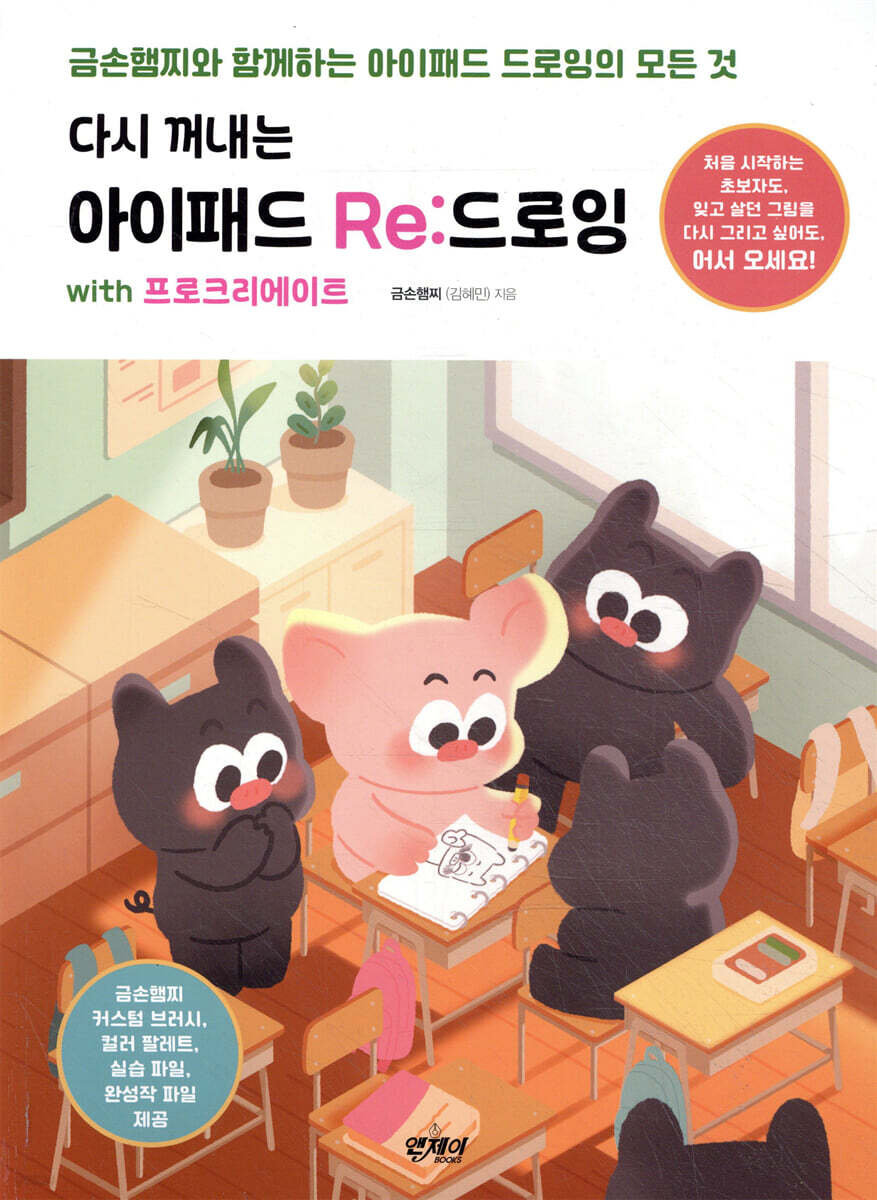
Re:Drawing with Procreate on the iPad
 |
Description
Book Introduction
Whether you're a beginner just starting out or want to redraw a painting you've forgotten, welcome!
If you follow along step by step, you can complete a wonderful piece of work on your own. Everything about iPad drawing taught by Golden Hand Hamjji!
We introduce the digital drawing know-how of popular illustrator Geumson Hamjji, who teaches drawing in a fun and easy way.
This book is designed to help beginners, those who have lost interest in drawing because they think they are not good at it, those who have given up on drawing due to busy schedules, and those who have difficulty using the Procreate app follow the first steps of digital drawing.
First, we'll help you understand the materials needed for iPad drawing and the Procreate app, and then we'll learn how to draw amazing works using various techniques, starting with easy drawings and ending with professional ones.
Next, it covers the animation skills needed to create moving emoticons, editing videos with your own drawings, creating various goods, and finally, learning special features of Procreate that were not covered before.
It provides the author's custom brushes, color palettes, practice files, and finished work files, and the detailed explanations of Geumson Hamjji at every practice step help you easily follow and understand on your own.
As you follow each lesson, you will soon become familiar with Procreate's various functions and drawing on your iPad will become easy and enjoyable.
If you follow along step by step, you can complete a wonderful piece of work on your own. Everything about iPad drawing taught by Golden Hand Hamjji!
We introduce the digital drawing know-how of popular illustrator Geumson Hamjji, who teaches drawing in a fun and easy way.
This book is designed to help beginners, those who have lost interest in drawing because they think they are not good at it, those who have given up on drawing due to busy schedules, and those who have difficulty using the Procreate app follow the first steps of digital drawing.
First, we'll help you understand the materials needed for iPad drawing and the Procreate app, and then we'll learn how to draw amazing works using various techniques, starting with easy drawings and ending with professional ones.
Next, it covers the animation skills needed to create moving emoticons, editing videos with your own drawings, creating various goods, and finally, learning special features of Procreate that were not covered before.
It provides the author's custom brushes, color palettes, practice files, and finished work files, and the detailed explanations of Geumson Hamjji at every practice step help you easily follow and understand on your own.
As you follow each lesson, you will soon become familiar with Procreate's various functions and drawing on your iPad will become easy and enjoyable.
- You can preview some of the book's contents.
Preview
index
INTRO.
Preparing to Draw on Your iPad
LESSON 01.
iPad drawing supplies
Prepare your iPad and Apple Pencil and install the Procreate app.
LESSON 02.
Get familiar with the first screen
A quick look at the gallery and canvas
LESSON 03.
Create a new canvas
Custom Canvas I Preset Canvas I Frequently Used Canvas
LESSON 04.
Touch screen gestures
A gesture that frees both hands
LESSON 05.
Layers, the flower of digital drawing
What is a Layer? I Show & Hide Layers I Create New Layers I Lock, Duplicate & Delete Layers
LESSON 06.
Download example files
Download the example file I Install the custom brushes and palettes of Geumson Hamjji I Load the downloaded example file
CHAPTER 01.
Just copy and draw
LESSON 01.
Drawing sweet and chewy dango
Locking Alpha Channel I Clipping Mask I Copying Layers I Managing Layers I Transforming Shapes
LESSON 02.
Drawing a cool and refreshing peach ade
Drawing Guide I Quick Shapes I Layer Properties I Drawing Aids - Symmetry
LESSON 03.
Drawing a vintage background
Drawing lines with photos I Various color adjustment functions I Noise effects I Setting wallpaper
LESSON 04.
Drawing warm pictures with a fluffy brush
Create Your Own Brush I Explore Brush Studio
CHAPTER 02.
Drawing with various techniques
LESSON 01.
Painting an avocado with an oil paint brush
Expressing Oil Painting with an Oil Brush I Applying Paper Texture to Canvas
LESSON 02.
A simple landscape drawing
Digital Watercolor I Urban Sketch I Reference Function
LESSON 03.
Paper cutting illustrations with a sense of three-dimensionality
Paper Cutting Techniques I Layer Organization I Gaussian Blur Effect
LESSON 04.
Square space squirrel drawn in pixel art
What is a Pixel? I Setting Up Pixel Art I Saving Pixel Art I Interpolation
LESSON 05.
Create your own paper texture
Digital Oil Pastel I Paper Texture Canvas
LESSON 06.
Fairy tale illustrations drawn with oil pastels
Oil Pastel Illustration Drawing I: Setting Up Colorful Brushes
LESSON 07.
Lithography with a unique vintage feel
What is Lithography? I CMYK and RGB Color Modes I Color Drop
LESSON 08.
Square landscape drawing with a marker pen brush
Making a Marker Brush I Brush Care
CHAPTER 03.
Creating animations and videos
LESSON 01.
Explore Procreate's animation features
Introduction to Frames I Timeline I Animation Features
LESSON 02.
Sketching emoticons
Animated Emoji Sketch I Animation Assist I Pixel Liquify
LESSON 03.
lazy cat animation
Animated Background & Foreground I Save & Share Videos
LESSON 04.
Edit a video with your own animation
Introducing a simple video editing app I Splitting videos I Adding text I Inserting background music
LESSON 05. Uploading the drawing process to social media
Timelapse | Create thumbnails | Upload to social media (Instagram, Shorts, TikTok)
LESSON 06.
Things to know before creating emoticons
Suggesting emoticons I Sketching ideas I Organizing layers I Page assistance I Outlining text
LESSON 07. Drawing with GIF Files
Expressing movement using GIF files
CHAPTER 04.
Create your own goods
LESSON 01.
Before making goods
POD System I Goods Ordering Process I What is a Kalseon?
LESSON 02.
Make your own goods - stickers
Select a Vendor I Browse the Work Guide I Import Images
LESSON 03.
Make your own goods - posters
Foundation Size I Working & Safety Size I PDF File I Risso Printing Poster
LESSON 04.
Make your own goods - rice cake memo pads
Drawing Helper I Grid Brush I Order
LESSON 05.
Make your own goods - character keychains
Save frequently used canvases I Draw characters I Order acrylic keyrings
CHAPTER 05.
Learn the various features of Procreate
LESSON 01.
Different ways to correct color
Gradient Map I Hue, Saturation, Lightness I Color Balance I Curves
LESSON 02.
Light and shadow
Light and Shadow I Screen I Multiplication
LESSON 03.
Drawing Aids - Perspective
Vanishing Point I One-Point Perspective I Two-Point Perspective
LESSON 04.
Installing Fonts on iPad
Installing & Applying Fonts I Differences Between TTF and OTF
LESSON 05.
Create your own font
Creating a Font with Your Own Handwriting I Using the Font You Created in Procreate
Preparing to Draw on Your iPad
LESSON 01.
iPad drawing supplies
Prepare your iPad and Apple Pencil and install the Procreate app.
LESSON 02.
Get familiar with the first screen
A quick look at the gallery and canvas
LESSON 03.
Create a new canvas
Custom Canvas I Preset Canvas I Frequently Used Canvas
LESSON 04.
Touch screen gestures
A gesture that frees both hands
LESSON 05.
Layers, the flower of digital drawing
What is a Layer? I Show & Hide Layers I Create New Layers I Lock, Duplicate & Delete Layers
LESSON 06.
Download example files
Download the example file I Install the custom brushes and palettes of Geumson Hamjji I Load the downloaded example file
CHAPTER 01.
Just copy and draw
LESSON 01.
Drawing sweet and chewy dango
Locking Alpha Channel I Clipping Mask I Copying Layers I Managing Layers I Transforming Shapes
LESSON 02.
Drawing a cool and refreshing peach ade
Drawing Guide I Quick Shapes I Layer Properties I Drawing Aids - Symmetry
LESSON 03.
Drawing a vintage background
Drawing lines with photos I Various color adjustment functions I Noise effects I Setting wallpaper
LESSON 04.
Drawing warm pictures with a fluffy brush
Create Your Own Brush I Explore Brush Studio
CHAPTER 02.
Drawing with various techniques
LESSON 01.
Painting an avocado with an oil paint brush
Expressing Oil Painting with an Oil Brush I Applying Paper Texture to Canvas
LESSON 02.
A simple landscape drawing
Digital Watercolor I Urban Sketch I Reference Function
LESSON 03.
Paper cutting illustrations with a sense of three-dimensionality
Paper Cutting Techniques I Layer Organization I Gaussian Blur Effect
LESSON 04.
Square space squirrel drawn in pixel art
What is a Pixel? I Setting Up Pixel Art I Saving Pixel Art I Interpolation
LESSON 05.
Create your own paper texture
Digital Oil Pastel I Paper Texture Canvas
LESSON 06.
Fairy tale illustrations drawn with oil pastels
Oil Pastel Illustration Drawing I: Setting Up Colorful Brushes
LESSON 07.
Lithography with a unique vintage feel
What is Lithography? I CMYK and RGB Color Modes I Color Drop
LESSON 08.
Square landscape drawing with a marker pen brush
Making a Marker Brush I Brush Care
CHAPTER 03.
Creating animations and videos
LESSON 01.
Explore Procreate's animation features
Introduction to Frames I Timeline I Animation Features
LESSON 02.
Sketching emoticons
Animated Emoji Sketch I Animation Assist I Pixel Liquify
LESSON 03.
lazy cat animation
Animated Background & Foreground I Save & Share Videos
LESSON 04.
Edit a video with your own animation
Introducing a simple video editing app I Splitting videos I Adding text I Inserting background music
LESSON 05. Uploading the drawing process to social media
Timelapse | Create thumbnails | Upload to social media (Instagram, Shorts, TikTok)
LESSON 06.
Things to know before creating emoticons
Suggesting emoticons I Sketching ideas I Organizing layers I Page assistance I Outlining text
LESSON 07. Drawing with GIF Files
Expressing movement using GIF files
CHAPTER 04.
Create your own goods
LESSON 01.
Before making goods
POD System I Goods Ordering Process I What is a Kalseon?
LESSON 02.
Make your own goods - stickers
Select a Vendor I Browse the Work Guide I Import Images
LESSON 03.
Make your own goods - posters
Foundation Size I Working & Safety Size I PDF File I Risso Printing Poster
LESSON 04.
Make your own goods - rice cake memo pads
Drawing Helper I Grid Brush I Order
LESSON 05.
Make your own goods - character keychains
Save frequently used canvases I Draw characters I Order acrylic keyrings
CHAPTER 05.
Learn the various features of Procreate
LESSON 01.
Different ways to correct color
Gradient Map I Hue, Saturation, Lightness I Color Balance I Curves
LESSON 02.
Light and shadow
Light and Shadow I Screen I Multiplication
LESSON 03.
Drawing Aids - Perspective
Vanishing Point I One-Point Perspective I Two-Point Perspective
LESSON 04.
Installing Fonts on iPad
Installing & Applying Fonts I Differences Between TTF and OTF
LESSON 05.
Create your own font
Creating a Font with Your Own Handwriting I Using the Font You Created in Procreate
Detailed image

Publisher's Review
[Features of this book]
ㆍ With 4.2 million views, it is full of special know-how from popular illustrator Geumson Hamjji.
ㆍ Easy-to-follow step-by-step explanations allow you to complete a wonderful piece of work on your own.
ㆍ It contains everything about Procreate, including drawing, animation, emoticons, video editing, and goods production.
ㆍ We provide everything from custom brushes, color palettes, practice files, and finished files of artist Geumson Hamjji.
Once again, discover the joy of drawing!
It's a shame to give up drawing because you think, 'I can't draw.'
When we were young, we drew what we purely wanted to draw.
But as time goes by, I put down my brush because I feel like my paintings are not worth showing to others.
This book will lead you back to the joy of drawing.
Before learning how to draw well or the basics of art, experience the pure joy that can be felt through drawing.
Try drawing it again.
Have fun before you try to draw well.
This book contains information on drawing and creating pictures in various ways.
From watercolors and pencil drawings to oil paintings, pixels, and animation, find the painting tools and techniques that suit your style.
If any of these bring you joy, I couldn't ask for more.
It focuses on digital drawing for the modern world, but is structured to be easily accessible to everyone.
Complete the world of paintings that is just right for you through various methods, just like puzzle pieces.
If you find something fun and work hard at it, unexpected opportunities will come your way.
For some readers, this book may be the first step down an unexpected path.
I hope this book will shake up your life and fill it with new joy.
ㆍ With 4.2 million views, it is full of special know-how from popular illustrator Geumson Hamjji.
ㆍ Easy-to-follow step-by-step explanations allow you to complete a wonderful piece of work on your own.
ㆍ It contains everything about Procreate, including drawing, animation, emoticons, video editing, and goods production.
ㆍ We provide everything from custom brushes, color palettes, practice files, and finished files of artist Geumson Hamjji.
Once again, discover the joy of drawing!
It's a shame to give up drawing because you think, 'I can't draw.'
When we were young, we drew what we purely wanted to draw.
But as time goes by, I put down my brush because I feel like my paintings are not worth showing to others.
This book will lead you back to the joy of drawing.
Before learning how to draw well or the basics of art, experience the pure joy that can be felt through drawing.
Try drawing it again.
Have fun before you try to draw well.
This book contains information on drawing and creating pictures in various ways.
From watercolors and pencil drawings to oil paintings, pixels, and animation, find the painting tools and techniques that suit your style.
If any of these bring you joy, I couldn't ask for more.
It focuses on digital drawing for the modern world, but is structured to be easily accessible to everyone.
Complete the world of paintings that is just right for you through various methods, just like puzzle pieces.
If you find something fun and work hard at it, unexpected opportunities will come your way.
For some readers, this book may be the first step down an unexpected path.
I hope this book will shake up your life and fill it with new joy.
GOODS SPECIFICS
- Date of issue: June 15, 2024
- Page count, weight, size: 424 pages | 188*257*30mm
- ISBN13: 9791190279208
- ISBN10: 1190279207
You may also like
카테고리
korean


korean

![GQ KOREA Mark (Monthly): December [2025]](http://librairie.coreenne.fr/cdn/shop/files/8ef265dbbfbf186523ed75ba7319009d.jpg?v=1765340328&width=3840)


