

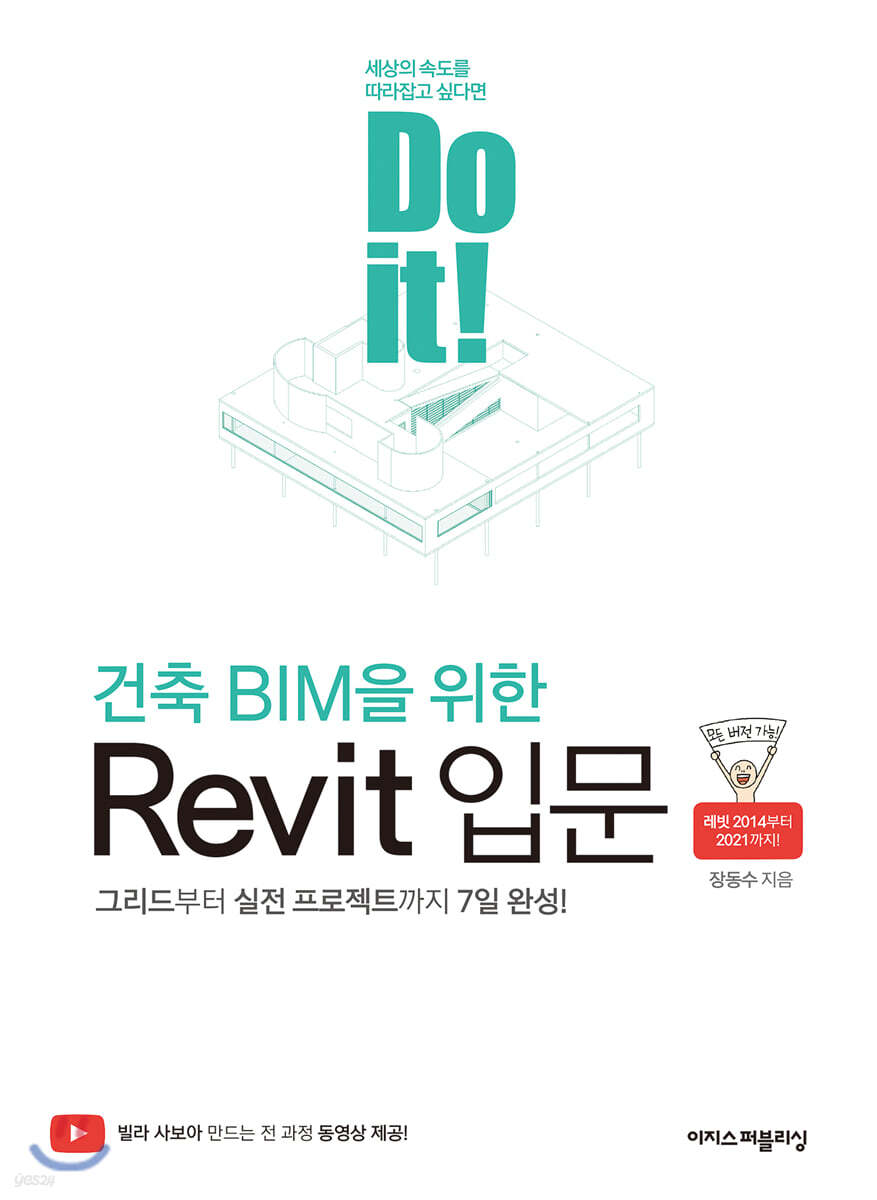
Do it! Introduction to Revit for Architectural BIM
 |
Description
Book Introduction
“No more all-nighters on design projects!”
From grid to real-world project, complete in 7 days!
In the era of BIM design, you need "Do it! Introduction to Revit for Architectural BIM."
This is because the book is filled with the author's experience as a Revit manager at one of the top design firms in the United States.
Revit has many features, but not many of them are used in practice.
The author has written this book based on his experience teaching Revit to both senior and junior colleagues while using Revit for over 10 years, selecting 10 topics that are essential for practical use.
Starting with an explanation of the easily confusing concepts of BIM and Revit, anyone can complete a neat drawing with Revit by drawing it one by one from the grid.
Moreover, the author's practical tips, based on his extensive experience, go beyond simply explaining the functions and teach you how to use them in practice.
This is a book that will teach you the 'real Rabbit' you need in the field.
From grid to real-world project, complete in 7 days!
In the era of BIM design, you need "Do it! Introduction to Revit for Architectural BIM."
This is because the book is filled with the author's experience as a Revit manager at one of the top design firms in the United States.
Revit has many features, but not many of them are used in practice.
The author has written this book based on his experience teaching Revit to both senior and junior colleagues while using Revit for over 10 years, selecting 10 topics that are essential for practical use.
Starting with an explanation of the easily confusing concepts of BIM and Revit, anyone can complete a neat drawing with Revit by drawing it one by one from the grid.
Moreover, the author's practical tips, based on his extensive experience, go beyond simply explaining the functions and teach you how to use them in practice.
This is a book that will teach you the 'real Rabbit' you need in the field.
index
----------------------------------
First yard
Getting Started is Half the Battle! Basic Modeling
----------------------------------
01 First Encounter with Rabbit
01-1 Revit, the leader in BIM design
01-2 Installing Revit
01-3 Exploring the Revit Interface
----------------------------------
02 Grid and Level
02-1 Creating and Editing Grids
02-2 Creating and Editing Levels
02-3 2D range and 3D range
[Challenge! Mission] Create a grid and level for Villa Savoye
----------------------------------
03 Pillars and Walls
03-1 Types of pillars
03-2 Inserting the pillar
03-3 Inserting the pillars at once
03-4 Drawing a wall
03-5 Modifying the wall elevation
[Challenge! Mission] Building the Pillars and Walls of Villa Savoye
----------------------------------
04 Floor and Roof
04-1 Creating a floor
04-2 Modifying the floor
04-3 Creating and Modifying Roofs
[Challenge! Mission] Build the floor, roof, and ramp of Villa Savoye.
----------------------------------
05 Modifying the model
05-1 Components of the [Edit] tab
05-2 Modification Panel - 17 Essential Commands
05-3 Keyboard Shortcuts
[Challenge! Mission] Building Doors and Windows for Villa Savoye
----------------------------------
Second yard
Cut the model and you're done! Create a drawing
----------------------------------
06 View and Sheet
06-1 View - Creating and Modifying Drawings
06-2 Sheet - View Seating
[Challenge! Mission] Create a drawing of Villa Savoye model.
----------------------------------
07 Visibility/Graphics and View Templates
07-1 View Panel - Editing Graphics by Element
07-2 Visibility/Graphics - Editing Graphics at Once
07-3 View Template - Applying Graphics
[Challenge! Mission] Modify the Villa Savoye blueprint graphics.
----------------------------------
08 Annotation Elements
08-1 Inserting dimensions
08-2 Enter detailed information
08-3 Enter text
08-4 Adding tags
[Challenge! Mission] Add annotations to the Villa Savoye floor plan.
----------------------------------
09 Rooms and Area
Room 09-1 - Displaying spatial information according to certain rules
09-2 Area - Freely display spatial information
[Challenge! Mission] Add a Room to the Villa Savoye Floor Plan
----------------------------------
10 Collaboration
10-1 Collaboration: A Basic Skill for Everyone
Using the 10-2 working set
10-3 Handling CAD in Revit
----------------------------------
Appendix 01 Family
Appendix 02 New Features in Revit 2021
First yard
Getting Started is Half the Battle! Basic Modeling
----------------------------------
01 First Encounter with Rabbit
01-1 Revit, the leader in BIM design
01-2 Installing Revit
01-3 Exploring the Revit Interface
----------------------------------
02 Grid and Level
02-1 Creating and Editing Grids
02-2 Creating and Editing Levels
02-3 2D range and 3D range
[Challenge! Mission] Create a grid and level for Villa Savoye
----------------------------------
03 Pillars and Walls
03-1 Types of pillars
03-2 Inserting the pillar
03-3 Inserting the pillars at once
03-4 Drawing a wall
03-5 Modifying the wall elevation
[Challenge! Mission] Building the Pillars and Walls of Villa Savoye
----------------------------------
04 Floor and Roof
04-1 Creating a floor
04-2 Modifying the floor
04-3 Creating and Modifying Roofs
[Challenge! Mission] Build the floor, roof, and ramp of Villa Savoye.
----------------------------------
05 Modifying the model
05-1 Components of the [Edit] tab
05-2 Modification Panel - 17 Essential Commands
05-3 Keyboard Shortcuts
[Challenge! Mission] Building Doors and Windows for Villa Savoye
----------------------------------
Second yard
Cut the model and you're done! Create a drawing
----------------------------------
06 View and Sheet
06-1 View - Creating and Modifying Drawings
06-2 Sheet - View Seating
[Challenge! Mission] Create a drawing of Villa Savoye model.
----------------------------------
07 Visibility/Graphics and View Templates
07-1 View Panel - Editing Graphics by Element
07-2 Visibility/Graphics - Editing Graphics at Once
07-3 View Template - Applying Graphics
[Challenge! Mission] Modify the Villa Savoye blueprint graphics.
----------------------------------
08 Annotation Elements
08-1 Inserting dimensions
08-2 Enter detailed information
08-3 Enter text
08-4 Adding tags
[Challenge! Mission] Add annotations to the Villa Savoye floor plan.
----------------------------------
09 Rooms and Area
Room 09-1 - Displaying spatial information according to certain rules
09-2 Area - Freely display spatial information
[Challenge! Mission] Add a Room to the Villa Savoye Floor Plan
----------------------------------
10 Collaboration
10-1 Collaboration: A Basic Skill for Everyone
Using the 10-2 working set
10-3 Handling CAD in Revit
----------------------------------
Appendix 01 Family
Appendix 02 New Features in Revit 2021
Detailed image

Publisher's Review
◆ Target audience for this book
- Design office employees who do not have time to learn BIM due to their busy work schedule
- Architecture students and job seekers who want to get ahead with differentiated capabilities
- Construction company employee who suddenly needs to use Revit at work
◆ Features of this book
- Starting from the basics, including BIM concepts, grids, and level drawing!
- 15 years of experience! A Revit expert will share not only his skills but also his experience.
- We create 'Villa Savoye' from 3D modeling to blueprint production all in one go.
------------------------------------------------------
If you're in the architecture industry, take note!
The era of designing with Revit has arrived!
------------------------------------------------------
A book has arrived to help you transition from AutoCAD to Revit! "Do it! Introduction to Revit for Architectural BIM" is a fundamental guide that covers the essence of Revit, from grids to real-world projects.
The author, who works as a Revit manager at a design firm considered a leader in BIM in the United States, has selected only the essential knowledge needed for practical use and included it in this book.
This book will help you avoid any practical worries, as it provides not only the basics but also tips that only those who have actually experienced it will know!
------------------------------------------------------
Verified and selected on the front lines!
10 Things Beginners Must Know!
------------------------------------------------------
The author is an expert among experts with extensive experience, from designer to Revit/BIM manager, having worked not only at large domestic design firms but also at leading US design firms such as AS+GG and SOM.
He is worthy of the title of 'true expert' as he can teach Revit to even the most experienced users who have only used AutoCAD for 20-30 years.
Based on his experience using Revit for over 10 years, he has selected only the proven content that he has taught to practitioners and included it in this book, "10 Things Beginners Must Know First."
If you know the contents of this book, you can use Revit right away in the field.
------------------------------------------------------
“So how do you actually use it?”
Stories from practitioners you won't hear anywhere else!
------------------------------------------------------
[Senior Jang's Notes] is a corner created to prevent trial and error and difficulties that may arise in the field.
It identifies and informs you of potential mistakes and questions in advance throughout the text, and provides tips to help you complete the same task more efficiently.
And above all, it gives you the vivid voices from the field.
For example, “When creating a building column, the option called room boundary means ~, but in practice, it is usually used with it checked.”
The author knows better than anyone that what practitioners need is not a simple explanation of functions, but rather, "How do you use it in practice?"
As you learn Revit with this book, you will meet the friendly 'Senior Jang' through voices from the field that you cannot hear or find anywhere else.
------------------------------------------------------
It's OK even if you don't know CAD or BIM!
Beyond the basics, create masterpieces with your own hands!
------------------------------------------------------
Even if you don't know the 'B' in BIM or have never learned CAD, it's okay.
Before you dive into learning the program in earnest, we'll cover some confusing concepts about BIM and Revit, and start with the very basics of mouse usage.
If you start drawing from the grid and follow the practice, you will soon be able to create a neatly completed drawing using Revit.
Not only that, in the [Challenge! Mission] corner, you'll build a masterpiece of modern architecture, the 'Villa Savoye'.
It is a process of applying what you have learned to an actual building and making it your own.
If you get stuck while completing a mission, don't worry. Scan the QR code to watch a video of the author's creation process.
------------------------------------------------------
Of course, the latest 2021 version
Even older versions that are still used in practice!
------------------------------------------------------
Revit does not open files saved in a higher version when opened in a lower version.
Are you already using an older version of Revit? That's okay.
This book is designed with real-world practice in mind, providing practice files for Revit 2017, 2020, and 2021 versions so that they can be used in all versions.
Additional information will be provided on the blog (blog.naver.com/nerkerr) as new versions are released.
Please visit often to check the latest information.
------------------------------------------------------
Perfect as a textbook for academies and universities!
We provide sample files as well as [Challenge! Mission] videos!
------------------------------------------------------
All example files, including [Challenge! Mission], are available in Revit 2017, 2020, and 2021 versions in the Resource Room on the Aegis Publishing website.
In particular, the [Challenge! Mission] corner provides not only practice files and completed files, but also QR codes for videos recording the entire creation process.
It is suitable for self-study as well as academy and university textbooks, as it allows for review of learned content and even in-depth study.
- Download example files [www.easyspub.co.kr → Data Room Menu]
------------------------------------------------------
Get BIM design technology in just 7 days!
If you use it as a textbook, follow the '16-day standard course'
------------------------------------------------------
If you want to study Revit without giving up, I recommend the 'Study Plan' provided in this book.
If you have never used AutoCAD before and are new to BIM, try studying with the [16-day Basic Course]. If you have experience with AutoCAD, try studying with the [7-day Advanced Course].
These courses are designed with the right level of difficulty and length to help you master Revit without giving up.
------------------------------------------------------
"Meet intelligent readers who grow through books!"
[Do it! Study Room]: Learn, Share, and Grow Together
------------------------------------------------------
If you feel burdened by studying alone, visit the study cafe 'Do it! Study Room (cafe.naver.com/doitstudyroom)'.
By joining [Do it! Study Group] and uploading your study plan and putting it into practice, you can receive a book as a gift and develop a consistent study habit.
- Do it! Study Room Cafe [cafe.naver.com/doitstudyroom → 'Do it! Study Group Support & Book Gift' Menu]
- Design office employees who do not have time to learn BIM due to their busy work schedule
- Architecture students and job seekers who want to get ahead with differentiated capabilities
- Construction company employee who suddenly needs to use Revit at work
◆ Features of this book
- Starting from the basics, including BIM concepts, grids, and level drawing!
- 15 years of experience! A Revit expert will share not only his skills but also his experience.
- We create 'Villa Savoye' from 3D modeling to blueprint production all in one go.
------------------------------------------------------
If you're in the architecture industry, take note!
The era of designing with Revit has arrived!
------------------------------------------------------
A book has arrived to help you transition from AutoCAD to Revit! "Do it! Introduction to Revit for Architectural BIM" is a fundamental guide that covers the essence of Revit, from grids to real-world projects.
The author, who works as a Revit manager at a design firm considered a leader in BIM in the United States, has selected only the essential knowledge needed for practical use and included it in this book.
This book will help you avoid any practical worries, as it provides not only the basics but also tips that only those who have actually experienced it will know!
------------------------------------------------------
Verified and selected on the front lines!
10 Things Beginners Must Know!
------------------------------------------------------
The author is an expert among experts with extensive experience, from designer to Revit/BIM manager, having worked not only at large domestic design firms but also at leading US design firms such as AS+GG and SOM.
He is worthy of the title of 'true expert' as he can teach Revit to even the most experienced users who have only used AutoCAD for 20-30 years.
Based on his experience using Revit for over 10 years, he has selected only the proven content that he has taught to practitioners and included it in this book, "10 Things Beginners Must Know First."
If you know the contents of this book, you can use Revit right away in the field.
------------------------------------------------------
“So how do you actually use it?”
Stories from practitioners you won't hear anywhere else!
------------------------------------------------------
[Senior Jang's Notes] is a corner created to prevent trial and error and difficulties that may arise in the field.
It identifies and informs you of potential mistakes and questions in advance throughout the text, and provides tips to help you complete the same task more efficiently.
And above all, it gives you the vivid voices from the field.
For example, “When creating a building column, the option called room boundary means ~, but in practice, it is usually used with it checked.”
The author knows better than anyone that what practitioners need is not a simple explanation of functions, but rather, "How do you use it in practice?"
As you learn Revit with this book, you will meet the friendly 'Senior Jang' through voices from the field that you cannot hear or find anywhere else.
------------------------------------------------------
It's OK even if you don't know CAD or BIM!
Beyond the basics, create masterpieces with your own hands!
------------------------------------------------------
Even if you don't know the 'B' in BIM or have never learned CAD, it's okay.
Before you dive into learning the program in earnest, we'll cover some confusing concepts about BIM and Revit, and start with the very basics of mouse usage.
If you start drawing from the grid and follow the practice, you will soon be able to create a neatly completed drawing using Revit.
Not only that, in the [Challenge! Mission] corner, you'll build a masterpiece of modern architecture, the 'Villa Savoye'.
It is a process of applying what you have learned to an actual building and making it your own.
If you get stuck while completing a mission, don't worry. Scan the QR code to watch a video of the author's creation process.
------------------------------------------------------
Of course, the latest 2021 version
Even older versions that are still used in practice!
------------------------------------------------------
Revit does not open files saved in a higher version when opened in a lower version.
Are you already using an older version of Revit? That's okay.
This book is designed with real-world practice in mind, providing practice files for Revit 2017, 2020, and 2021 versions so that they can be used in all versions.
Additional information will be provided on the blog (blog.naver.com/nerkerr) as new versions are released.
Please visit often to check the latest information.
------------------------------------------------------
Perfect as a textbook for academies and universities!
We provide sample files as well as [Challenge! Mission] videos!
------------------------------------------------------
All example files, including [Challenge! Mission], are available in Revit 2017, 2020, and 2021 versions in the Resource Room on the Aegis Publishing website.
In particular, the [Challenge! Mission] corner provides not only practice files and completed files, but also QR codes for videos recording the entire creation process.
It is suitable for self-study as well as academy and university textbooks, as it allows for review of learned content and even in-depth study.
- Download example files [www.easyspub.co.kr → Data Room Menu]
------------------------------------------------------
Get BIM design technology in just 7 days!
If you use it as a textbook, follow the '16-day standard course'
------------------------------------------------------
If you want to study Revit without giving up, I recommend the 'Study Plan' provided in this book.
If you have never used AutoCAD before and are new to BIM, try studying with the [16-day Basic Course]. If you have experience with AutoCAD, try studying with the [7-day Advanced Course].
These courses are designed with the right level of difficulty and length to help you master Revit without giving up.
------------------------------------------------------
"Meet intelligent readers who grow through books!"
[Do it! Study Room]: Learn, Share, and Grow Together
------------------------------------------------------
If you feel burdened by studying alone, visit the study cafe 'Do it! Study Room (cafe.naver.com/doitstudyroom)'.
By joining [Do it! Study Group] and uploading your study plan and putting it into practice, you can receive a book as a gift and develop a consistent study habit.
- Do it! Study Room Cafe [cafe.naver.com/doitstudyroom → 'Do it! Study Group Support & Book Gift' Menu]
GOODS SPECIFICS
- Date of issue: May 12, 2020
- Page count, weight, size: 368 pages | 188*257*30mm
- ISBN13: 9791163031604
You may also like
카테고리
korean


korean

![GQ KOREA Mark (Monthly): December [2025]](http://librairie.coreenne.fr/cdn/shop/files/8ef265dbbfbf186523ed75ba7319009d.jpg?v=1765340328&width=3840)


